
Overview
Expired Events
Gatsby closes registration and shared guest-list links 7 days after an event ends, so old links can't add guests or expose your guest list. See what closes and how to reopen an event.
Last spring’s dinner shouldn’t still be taking sign-ups
Every invite you’ve sent and every guest list you’ve shared with a caterer stays live until someone turns it off. Months later, an old link can still add a guest, change an answer, or show your seating chart to whoever it was forwarded to.
Closes 7 days after the event
Registration and shared guest-list and seating links close a week after your event ends. Your guest list and everything on it stay exactly as they are.
Reopen when you need to
Need a few late registrations? Reopen the event for another 7 days from its registration settings or your events list.
Registration
Section titled “Registration”Guests who open an old invite or registration link see RSVP Closed where the registration buttons used to be. The event page itself stays up with its details. Ticket sales close at the same time, so nobody pays for an event that has already happened.
For an event with sessions, the 7 days start after the last session ends. A three-day conference closes a week after day three, and its sessions close with it.
What stays open
Receipts and unsubscribe links keep working, so a guest can still find what they paid or stop your emails.
Apple Wallet passes for the event show as expired in guests’ wallets from the day registration closes.
Lists never expire. A list has no end date, so it stays open for as long as you use it.
Where to see when an event closes
Go to Registration » Invite Landing Page and look under Are RSVPs open?. Once the event has ended, a note there reads Closes automatically on with the date. After it closes, the note shows the date it closed and how long you have to reopen it.
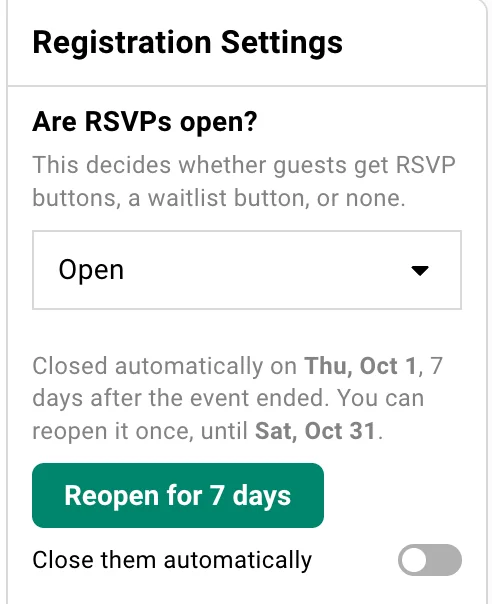
Once it has closed, a banner across the top of the event also reads This event has passed, with the date it closed and a Reopen for 7 days button.

In your events list and calendar, a closed event is marked Expired.
For a Quick Event, the same note sits in the event’s RSVP settings in the editor. On your phone, it appears at the top of the event page.
Shared Guest Lists and Seating Charts
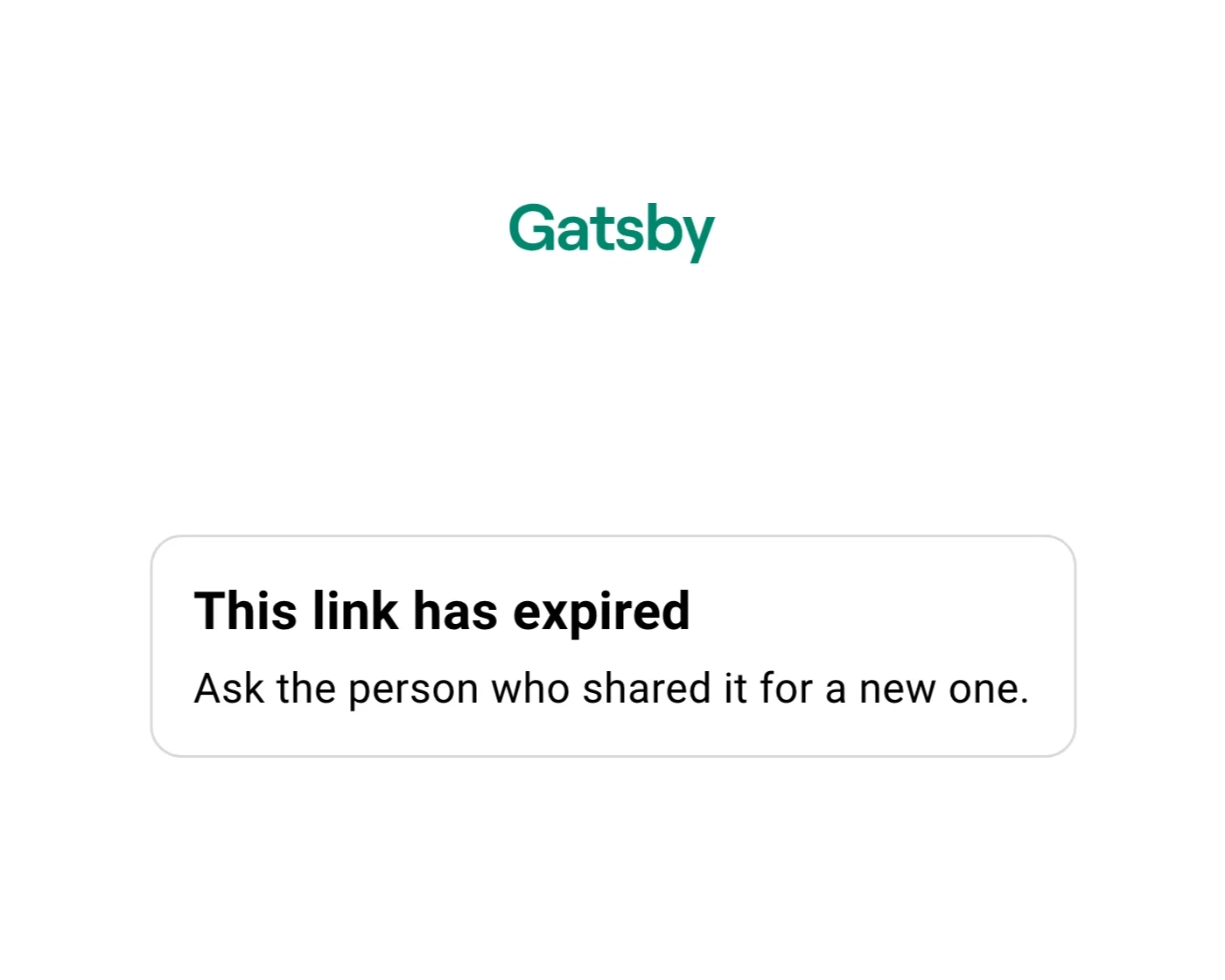
Section titled “Shared Guest Lists and Seating Charts”The guest-list and seating-chart links you share with a caterer, venue or co-host close on the same day as the event’s registration. Anyone who opens one sees This link has expired and a note to ask the person who shared it for a new one.
The page shows no event name, account name or guest details. Whoever holds an old link may not be the person you sent it to, so it gives nothing away.
A password-protected link shows the same page, without asking for the password. If someone has the link open when it expires, it stops updating at that moment and switches to the expired page, so they don’t keep watching a list that has quietly stopped changing.
Sharing with a vendor after the event, for example a final headcount for the invoice? Reopen the event first. Its shared links reopen with it.
Reopen for 7 Days
Section titled “Reopen for 7 Days” How to reopen from the event
-
Open the event and go to Registration » Invite Landing Page.
-
Under Are RSVPs open?, click Reopen for 7 days.
-
Check the date in the confirmation and click Reopen.
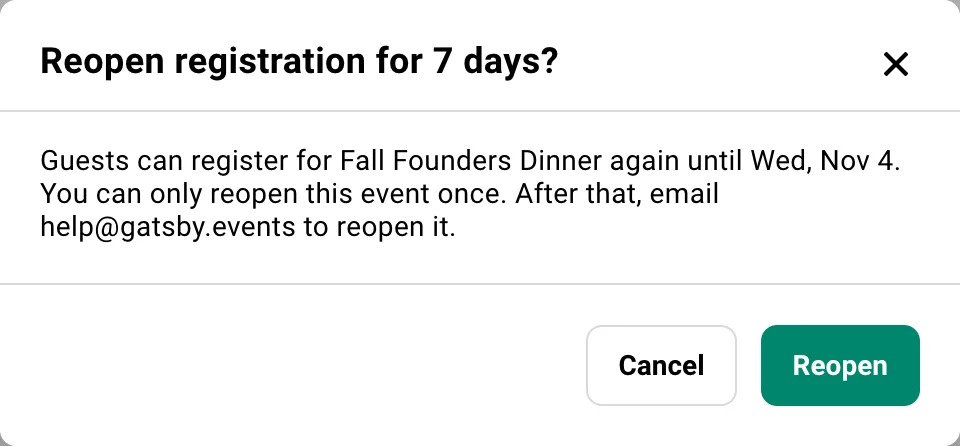
Guests can register again straight away. The note under Are RSVPs open? shows the new closing date.
The Reopen for 7 days button is also on the banner at the top of the event, in a Quick Event’s RSVP settings, and on the event page on your phone.
How to reopen from your events list
-
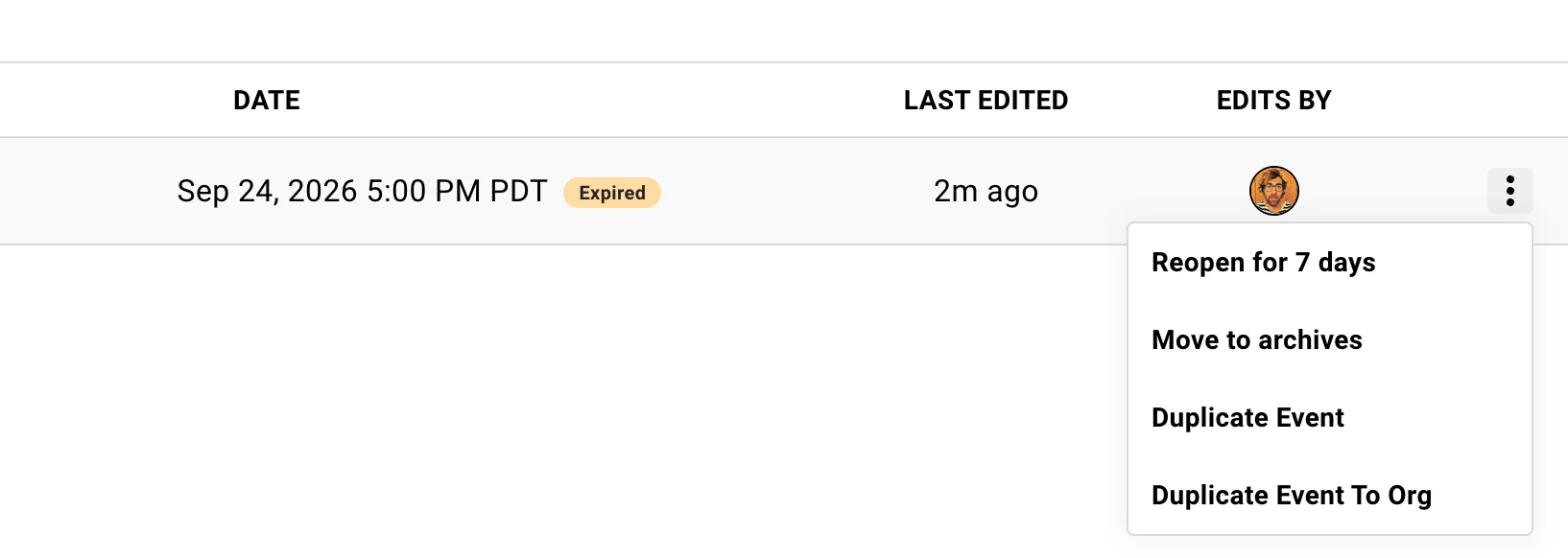
Find the event in your events list. Closed events are marked Expired.
-
Open the event’s menu and choose Reopen for 7 days.
-
Click Reopen to confirm.
Who can reopen an event
Anyone on your team with access to the event. External collaborators can’t reopen an event. They see a note asking them to contact the event’s organizer.
Common Questions
Section titled “Common Questions” Will I know when an event closes?
Yes. The morning after an event’s registration closes, Gatsby emails you a list of the events that closed, with a reopen link for each one you can still reopen. You get it for events where you’re an admin or a collaborator.
To turn the email off, click your profile picture, choose Settings, open Notifications and switch off Event Registration Closed. To change it for one event only, click the bell beside your role in that event’s collaborators and switch Registration Closed. Org admins can change it for a teammate in the Event Registration Closed Email column on the Team page.
How is an expired event different from an archived one?
Expiry happens on its own and closes things. Seven days after the event, registration and shared links close, and the event stays in your events list marked Expired. You can reopen it.
Archiving is something you do, and it closes nothing. It moves the event to Archived Events at the bottom of Events and Lists, but invitations, RSVP links and scheduled sends keep working until you stop them. See Canceling or Postponing Events for what archiving does and the steps to take first.
Neither one deletes your event or its guest list.
Does closing registration change my guest list?
No. Every guest, answer and payment stays exactly as it was. Expiry stops registration and closes shared links, and leaves everything already on your list in place.
I already closed registration myself. What happens to that event?
Nothing changes for its registration, since it’s already closed. Its shared guest-list and seating links still close 7 days after the event ends.
Some of my events ended before this started. Can I still reopen them?
Yes. For events that had already ended when expiry started on your account, the 30 days to reopen count from that day.
I've already reopened an event once. How do I reopen it again?
Email help@gatsby.events.