
A decline is the most cooperative a guest will ever be
The will-not-attend flow is the one surface almost no one customizes. Here's how to make the most of it.
Key Takeaways
- Roughly one in ten invitees will ever click Decline.
- One idea: let a guest nominate a colleague to take their place (without auto-inviting anyone)
- Or, turn a decline into 20 minutes on the calendar two weeks later (which is a real outcome for the relationship and costs you one sentence)
Most people you invite will never tell you no.
Roughly one in ten guests will click Decline.
Maybe they leave a note (if you have that field turned on). A default email goes out… And, nobody looks at the record again.
But, someone who bothers to decline has read the invite and made a call.
Nobody else on your pending list gets that close. For about four seconds they’re standing on your page with a form in front of them, cooperating, and what they get for it is a default email.
The part of your registration form nobody touches
Every Gatsby event has a will-not-attend question tree.
It’s the branch a guest hits when they choose not to come at all. This question tree ships empty. You click Decline, you get “Sorry to miss you,” done.
I’ve sat in on a lot of event setups and I can’t remember one where anybody opened it. People spend an hour on the registration form and leave the decline flow exactly as it shipped, which is fair enough.
Until recently, there wasn’t much you could do with a “no”.
One idea: allow guests to nominate someone else
A lot of Gatsby invitations are non-transferable on purpose. The personal link is tied to one person, so forwarding it to a colleague doesn’t get the colleague in. That protects the composition of the room, which is usually the whole reason there’s an invite list.
But some rooms expect a stand-in (AGMs especially).
A customer was setting one up last week and asked what happens when an LP can’t come but wants to send their analyst instead. Today, that’s a few rounds of email… then an invite.
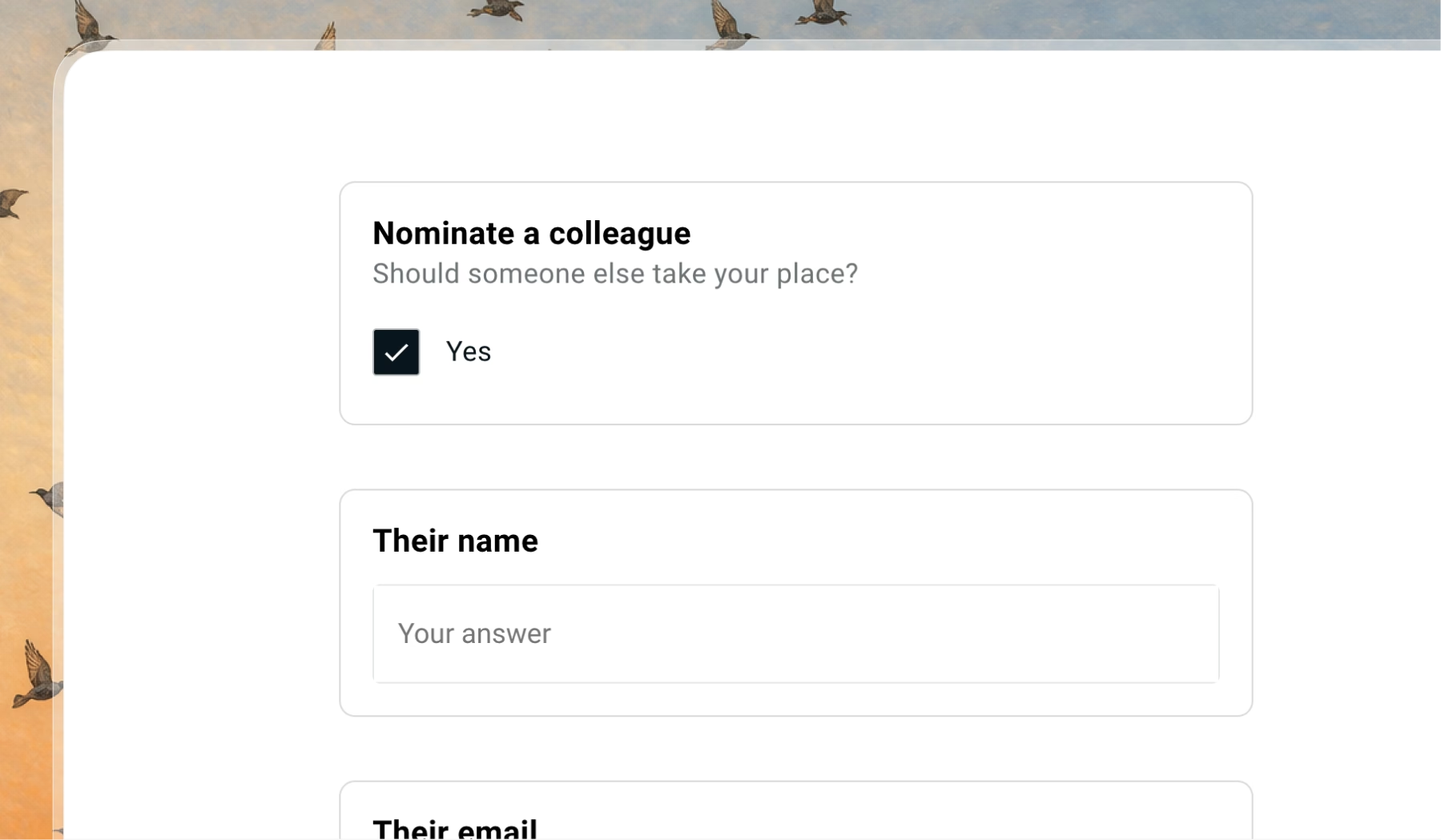
You can move that whole exchange into the decline flow with a checkbox that asks:
“Is there someone we should invite in your place?”
If yes, ask for a name and an email. The guest answers it while they’re already thinking about who should go instead. The nomination lands on your guest list as a column. Then you decide whether the analyst gets an invite.
The room stays invite-only, you’ve skipped the email tag, and you’ve quietly signaled that the invite was never transferable to begin with.
Grab time on their calendar instead
Someone who declines your annual thing is telling you they care enough to answer… Fall event season eats everyone’s calendar, and plenty of declines just mean the date was bad.
So skip the default “got it, sorry we’ll miss you,” and send something from an actual person on the team:
“Sorry this didn’t line up. Want to grab 20 minutes instead?”
The decline email is the right home for it, because they can just hit reply.
What you get back is a reason to talk, away from the crush of the event, with someone you maybe haven’t heard from in months.
This falls apart at 300 invitees… but for a small dinner where the host actually knows the room? It costs you one sentence.
Relationship hygiene, disguised
Ask your guest what they would show up for.
Fundraising teams call that a solicit code, the record of what a given contact wants to be asked about, and most B2B and VC teams have never run into the concept.
Inviting a good contact to the wrong thing three times running is how you train them to ignore everything you send.
Keep it to two or three options:
“Keep me in the loop for: dinners, forums, annual meetings.”
(Gatsby will turn the list into a dropdown on its own after 5 options, so you can offer a longer menu without putting a wall of checkboxes on the page.)
I did a version of this on my own list recently. Auto-subscribed our active customers to a newsletter and put the exit right at the top: if this isn’t for you, unsubscribe.
You don’t want people on a list who’d rather not be there, and there’s no sense inviting someone who stopped opening things a year ago and never said so.
Where it stays manual
None of this is automated, mostly on purpose.
Nominations, preferences and reconnect requests all land as data on the guest, and you act on them. For a nomination you create the contact by hand (or export and re-import if you’re getting a lot of them), then send the invite from the “not sent to” tab.
What to try this week
Open your next private-event registration and find the will-not-attend branch.
Add one question. “Is there someone we should invite in your place?” A checkbox, a name field, an email field, and leave the message-for-the-host field on while you’re in there.
Then read what comes back from the people who say no.
The decline was always going to happen. The only question is whether you learn anything from it.
Frequently Asked Questions
What should you do when a guest declines an event invitation?
Treat the decline as a opportunity. A guest who clicks Decline is on your page with a form in front of them, so ask one useful question: whether there's someone you should invite in their place, or whether they'd want to reconnect another way. Keep it short. This is not the place for a full survey.
Can you add questions to the decline flow in Gatsby?
Yes. Every event has a will-not-attend question tree that's blank by default. You can add checkboxes and short-answer fields to it the same way you build the rest of your registration form, including conditional logic that only shows a question to certain guest types.
Does nominating a colleague in the decline flow automatically invite them?
No, and that's the point. The nomination lands on your guest list as data. You decide whether to add the person and send them an invite, which keeps the room invite-only and under your control.
The Shortlist Monthly
For teams whose guest list is a shortlist
Once a month we send the best of what we published, one email, from the team at Gatsby.