
When your guests have assistants
Your executive guest tapped yes at 11pm. The assistant who blocks out their week hasn't heard about your dinner, and now you've got another no-show.
Key Takeaways
- An accepted RSVP from an executive is also a handoff to whoever runs their calendar
- Use the "Associated Contact to CC" field for your guests' executive assistants
- The associated contact gets copied on every campaign (declines and personal thank-you notes included). Switch it off in Campaign settings when the note is meant to be more personal
- Available as a question on your registration from or you can import in bulk
Your guests’ assistants are equally as important as your guest
Inviting executives means you’re more than likely writing into an inbox two people read.
Their calendar works the same way. Their assistant is the one maneuvering logistics for a 6pm dinner when there’s a 4:30 that runs long on the other side of town.
So more often than not, accepting your invite is a handoff. Somebody has to catch it and clear the runway.
Open-registration tools have no field for any of this, which makes sense… Nobody’s assistant is clearing a Thursday for a meetup that surfaced in a discovery feed.
Adding the assistant
You might already know who runs the calendar for the guests you care most about.
That knowledge lives in a spreadsheet column from two events ago, or in the head of whoever owns the relationship (and it gets applied by hand when somebody remembers to apply it).
Manually
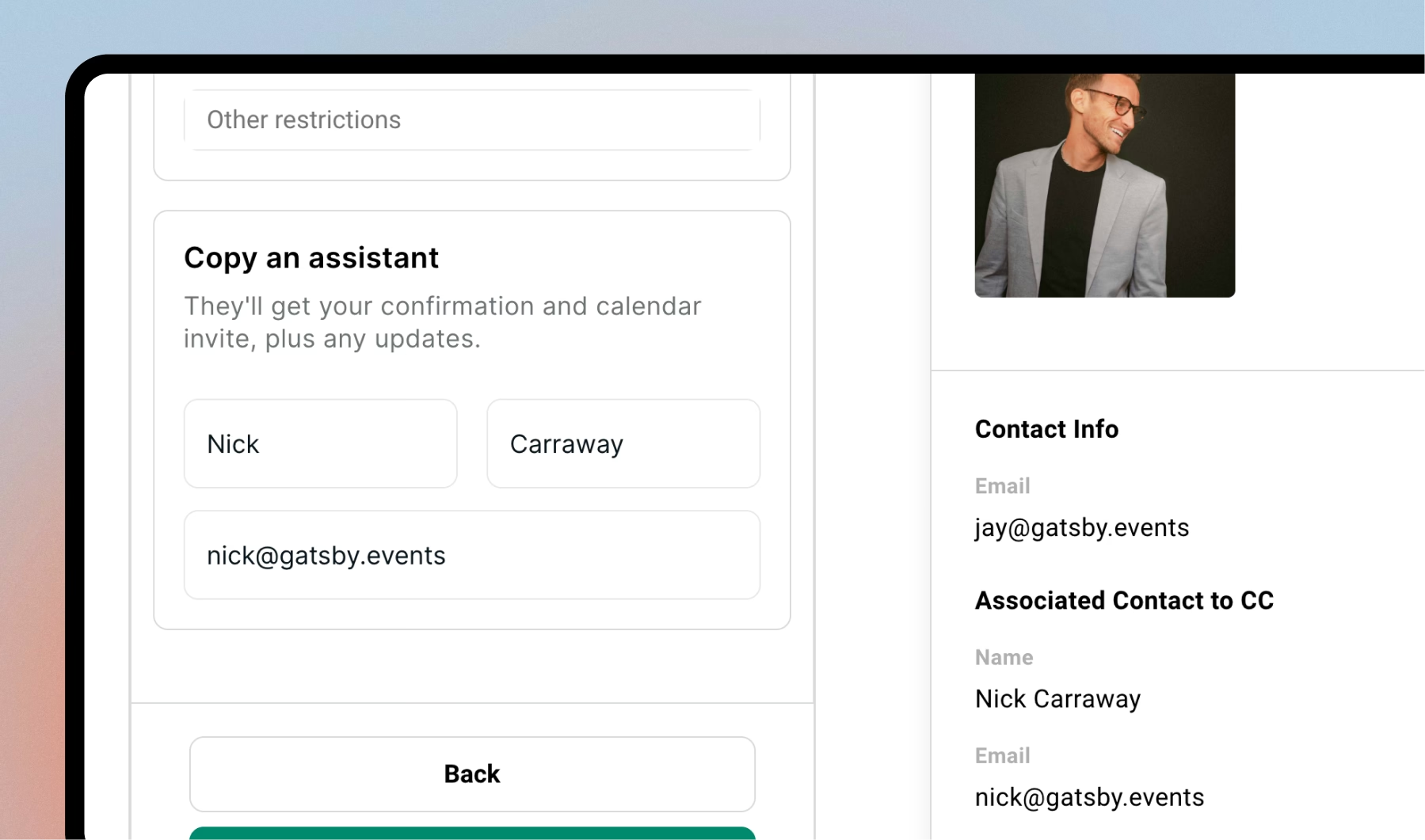
Put it on the guest profile as an associated contact.
Add the person once and they’re copied the moment the yes lands, on that event and every one after it.
Automatically
Add the question to the registration form. Look for the “Associated CC” question.
If you already have an answer it comes back prefilled at the next event and the guest can correct it, which is the reason to keep asking after you think you know. Assistants move jobs and your record goes stale without telling you.
If you do one thing from this piece, add that question to your next form.
Importing
For a real guest list you’ll do this at import, since you’re probably half-tracking it in the sheet already.
One column for the primary guest’s email, one for the assistant’s, and when you map them, send the second to “CC Email”.
(The “All emails” field is there for deduping, so old consultancy addresses and personal Gmails belong in that one, and nothing you put in it triggers a CC.)
The Associated CC goes on everything, Friday’s note included
Invites, reminders, confirmations, declines. Also the personal note you write on Friday morning to the four people who mattered most, which is the one send where you want it off.
It’s an event-level setting.
Leave the CC on for the operational mail and toggle off for anything meant to read as one person writing to another, because a thank-you note reads differently once there’s an assistant copied in.
Under Campaigns, go to Settings. Toggle off “Include associated contacts to cc” when you need to.
Before your next invite goes out
Take the next event you have with executive guests and add the question to the form.
Then pick the five people you most need standing in that room and check whether you already know the answer. For three of them you will. Put those three on the record by hand this afternoon and let the form pick up the rest over the next two events.
Compare your yes count to your check-in count afterwards. Two events with the question on the form and you’ll have a number for what the second name is worth.
Frequently Asked Questions
How do I CC an executive assistant on event invitations?
Add them as an associated contact on the guest's profile. From then on they're copied on every campaign that goes to that guest, including the confirmation email (which includes the calendar invite) that fires the moment the RSVP lands. You can add it by hand on the guest record, collect it with a question on the registration form, or map a column of assistant emails during a CSV import.
Can I stop the assistant from being CC'd on an email?
Yes. There's a toggle under Campaign Settings, so you can leave it on for invites and reminders and switch it off for the personal thank-you note after the event. Check who's on a draft by hovering the recipient before you send.
Does the executive assistant get added to my guest list?
No. They exist as a contact in your book so they can be copied on email, but they aren't added as a guest on the event. (Worth knowing if you sync your contact book with Salesforce or Affinity, because that contact will show up there).
The Shortlist Monthly
For teams whose guest list is a shortlist
Once a month we send the best of what we published, one email, from the team at Gatsby.