
Decide what has to be perfect before event week
Something breaks the week of the event, every time. The teams who stay calm through it already agreed, weeks earlier, on which things have to be right and which ones can slide.
Key Takeaways
- Ask your team which parts of the event have to be right. (Most hosts care about fewer things than you assume.)
- A shared task list turns that decision from a private guess into something the whole team can see and act on
- The starter checklist queues due dates off your event date automatically, so the basics are already scheduled before you've thought about them
Something always breaks the week of the event.
A VIP needs a new seat. A guest adds a plus-one two days out. The vendor calls with a question nobody thought to ask in advance. It doesn’t matter how far ahead you planned. Event week produces its own emergencies, on schedule, every time.
The event teams I’ve watched stay calm through that week weren’t luckier than anyone else. They had already agreed, weeks before, on what could give.
Ask before you need the answer
Ask the person you’re running the event for which parts have to be right, and keep pushing until you get specifics rather than “all of it.”
The seating chart usually makes the list. It has to be current the moment guests walk in, which means three additions the day before is somebody staying up late, and everyone should know that going in.
Place cards, in my experience, matter far less to the host than to the person printing them at 11pm.
You only find that out by asking. Skip it and you spend the last week defending things nobody was going to look at.
Where the decision goes
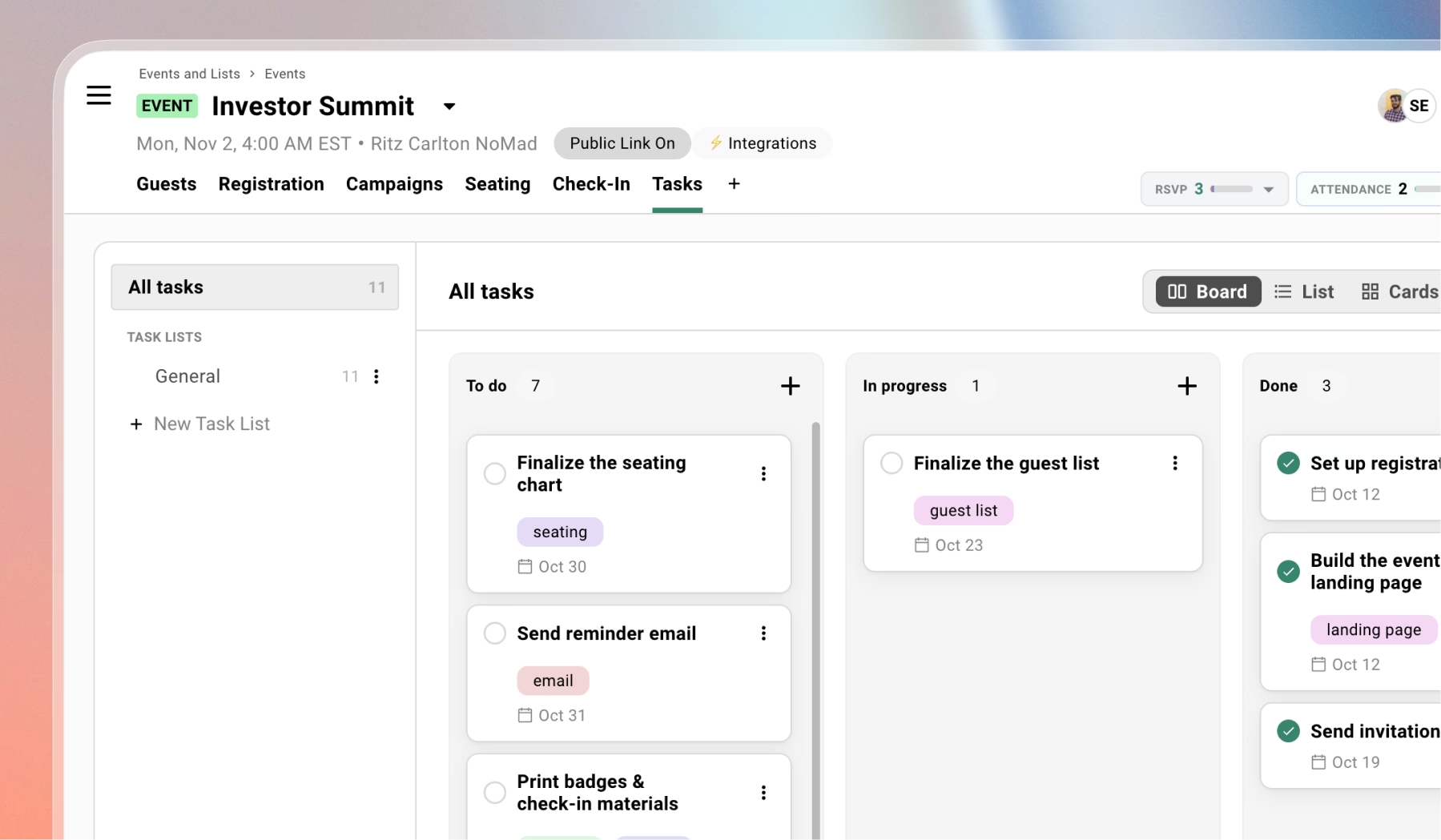
Gatsby has task lists per event.
Start with the starter checklist. It drops in around eleven tasks covering the basics, grouped by where they fall in the life of the event, with due dates that queue off your event date.
Not doing a seating chart? Deselect those. No vendor invoices this time? Same. What’s left is a schedule you didn’t have to build.
Then make a tag called flexible and put it on place cards. Set the seating chart to high priority.
The conversation you had three weeks ago is now sitting in front of whoever is working the event, including the co-host who wasn’t on that call.
Subtasks handle the smaller stuff hiding inside a bigger task. “Confirm Bob’s email address” doesn’t deserve its own line item on the main list, but it still needs to happen before you can check off “finalize the guest list.” Track it underneath instead of losing it.
And if your planning splits across different phases, registration, on-site, and vendor conversations? You can run separate task lists for each instead of forcing everything into one view.
What to try this week
Before the next one, ask what has to be perfect. Tag the rest as flexible.
The week still goes sideways. But at nine the night before, when someone asks whether the place cards are done, there’s already an answer.
Frequently Asked Questions
How do you decide which event tasks have to be perfect?
Have the conversation weeks out, with whoever you're running the event for. Ask which parts have to be right and push for specifics. The seating chart usually has to be current the second guests walk in. Place cards usually matter far less to the host than to the person printing them.
What is the starter checklist in Gatsby's task list?
A pre-built set of about eleven tasks, grouped by where they fall in the life of the event. Due dates queue off your event date, so you get a working schedule the moment you turn it on. Deselect anything that doesn't apply.
Can you have more than one task list per event?
Yes. You can keep registration tasks separate from on-site tasks, and both separate from the F&B conversations you keep meaning to have with the venue.
The Shortlist Monthly
For teams whose guest list is a shortlist
Once a month we send the best of what we published, one email, from the team at Gatsby.