
2026 Q3 Product Updates
What shipped in Q3 2026, including Quick Events, the Gatsby MCP server, Tasks, SMS Campaigns, per-guest Zoom join links, and rebuilt reporting.
Quick Events
Section titled “Quick Events”The dinner for twelve never felt worth the full event builder. So it went to a consumer invite tool, and the guest list went with it.
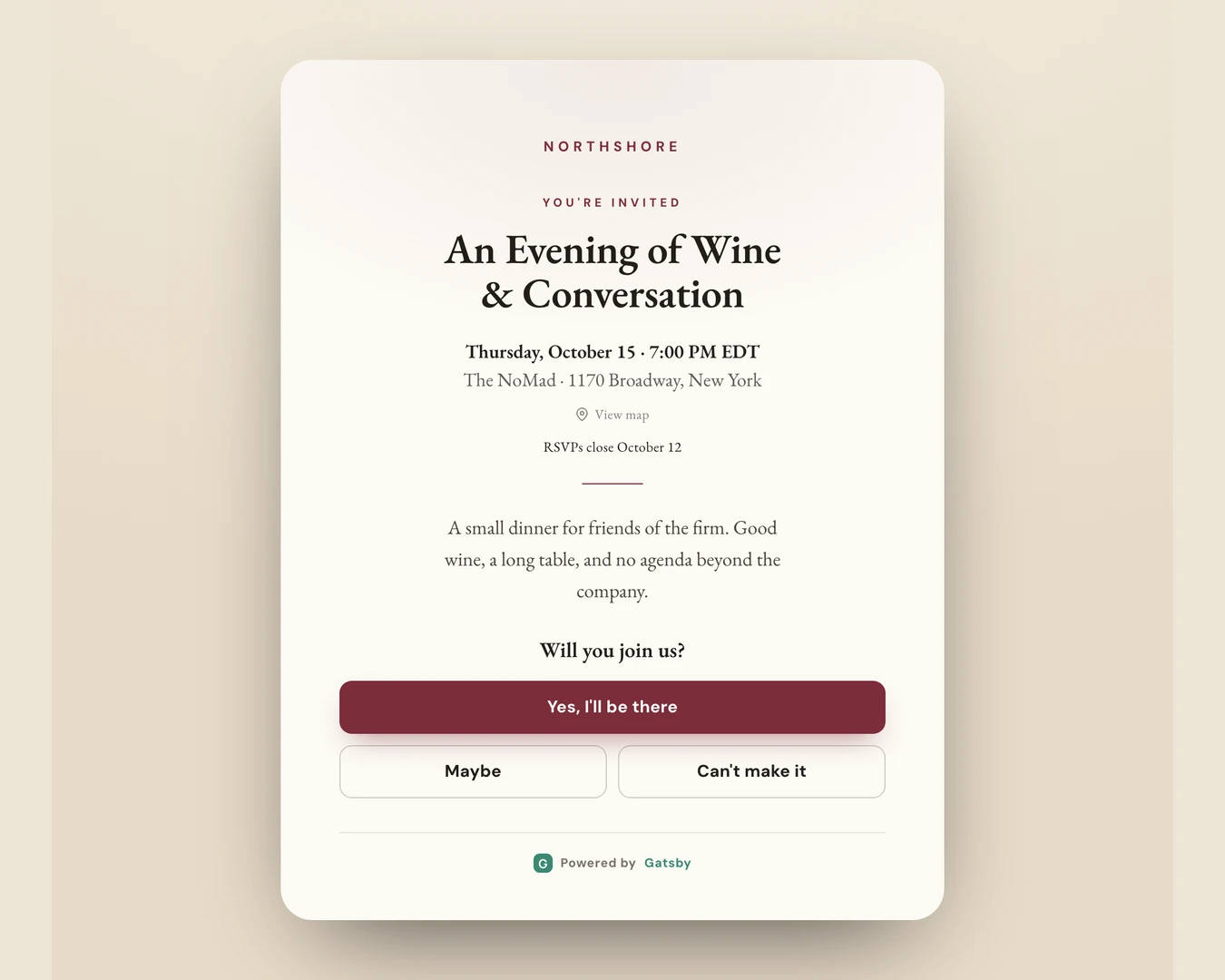
Quick Events gives those events four steps inside Gatsby (Details, Design, Guests, Invite) and a polished, mobile-first invitation sent from your own Gmail or Outlook. Every RSVP lands on the same contact record as your largest events, so six months from now you can still see who came.
Quick Events is free for existing Gatsby customers. Look for Create Quick Event next to Create Event.
What's included
- Six templates (Dinner, Garden, Gala, Soirée, Happy Hour, and Celebration), plus your own banner image, logo, and color.
- Capacity limits, a waitlist, an RSVP deadline, and a Maybe option.
- Up to four guest questions: company, position, dietary restrictions, and one of your own.
- Test sends, scheduled sends, and follow-ups to each RSVP group once the invitations are out.
When to create a full event instead
Seating charts, badges, check-in, paid ticketing, plus-ones, full registration forms, and texts are full-event features. A Quick Event can’t be converted into a full event later, so if the dinner might grow into any of those, start with Create Event.
Full Quick Events Reference
The Gatsby MCP Server
Section titled “The Gatsby MCP Server”Connect Claude or ChatGPT to your Gatsby account and ask about your own contacts and events in plain English. “I’m in New York next Tuesday. Who from my contacts is there and worth a coffee?” Or: “Which FinTech founders have been to at least one of our events?”
The AI sees exactly what you see in the app, and it stays read-only unless an admin changes that. Ready-made skills in the Skill Gallery cover year-over-year event performance, RSVP forecasting, guest recommendations, and seating.
The MCP server is built on the Gatsby API, a paid add-on. If your account already has API access, the MCP server is free. To turn it on, email:
Full MCP Server Reference
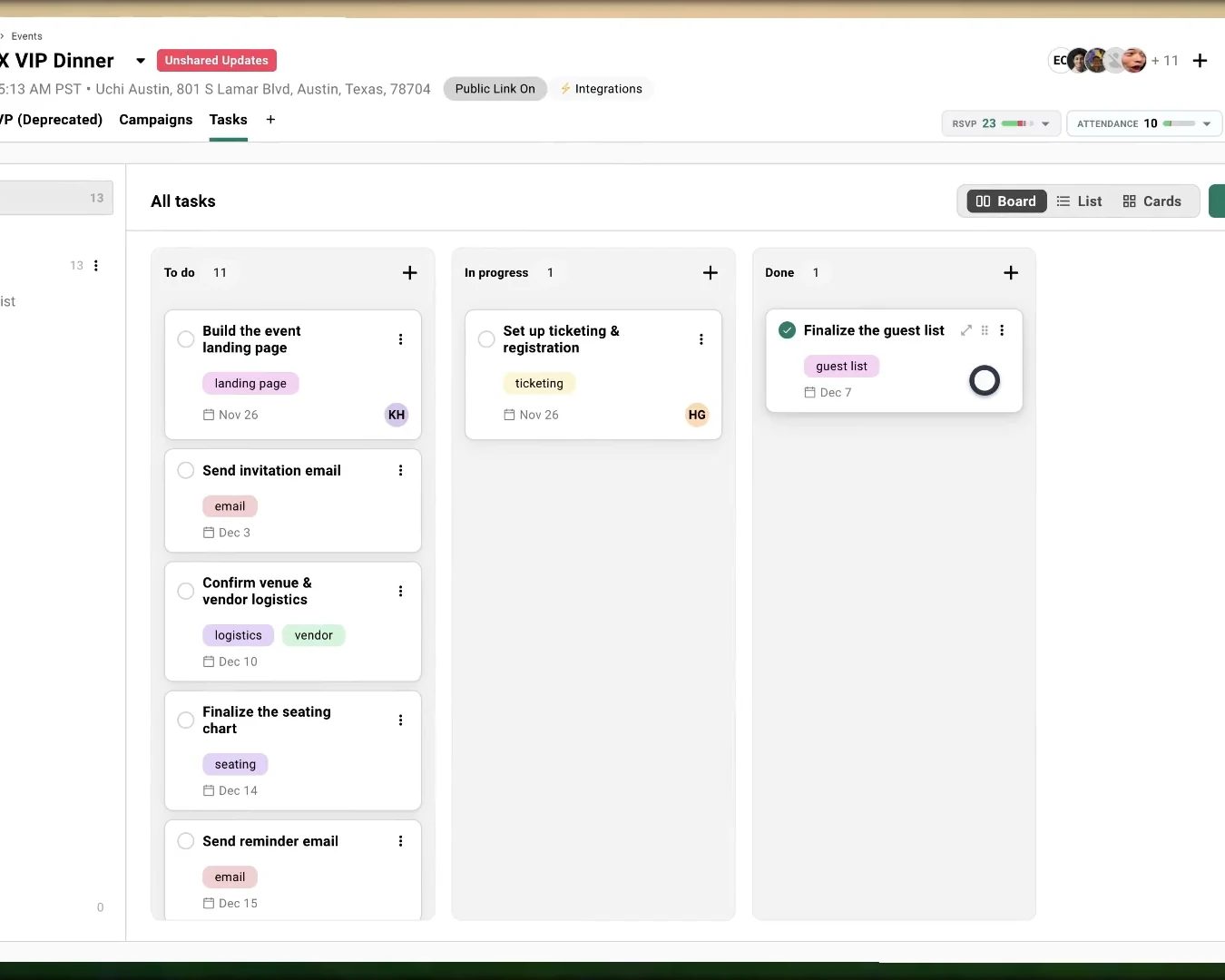
Who’s building the landing page? Did anyone confirm the caterer? That work used to live in a side spreadsheet. Now it lives in the event.
Assign each task to one person or several, give it a due date, and mark it Blocked when it’s stuck. My Tasks at the top of the Events page shows everything assigned to you across every event, overdue first.
A few things to know
- The tab is hidden by default. Open an event, click the + at the end of the tab bar, and turn on Tasks.
- Switch between Board, List, and Cards. Gatsby remembers your choice.
- Tasks take subtasks, priorities, and tags, and an event can hold more than one task list. New events offer a starter checklist.
- Your existing tasks moved over automatically.
- External Collaborators see only the tasks assigned to them.
Full Tasks Reference
SMS Campaigns
Section titled “SMS Campaigns”Some messages only matter if they arrive in time: the room change, the start time that moved, the reminder the night before. Those can now go out as texts.
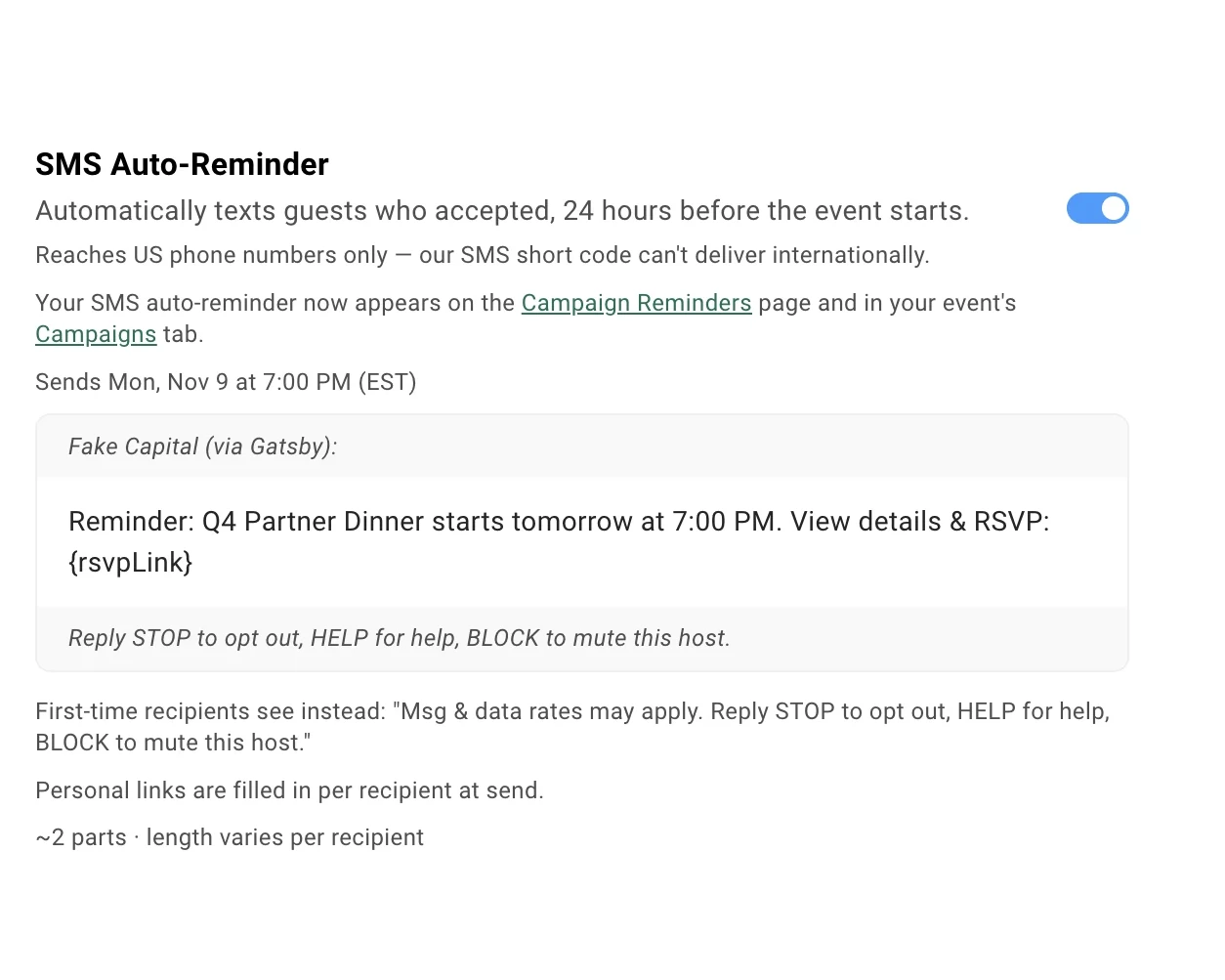
Every event gets a free SMS Auto-Reminder: one text, 24 hours before the event, to every guest who accepted. Turn it on per event under Registration » SMS Auto-Reminder.
The paid SMS add-on lets you write your own texts. Merge in each guest’s first name and personal RSVP link, then send now, schedule it, or set it as a reminder.
A few things to know
- Texts go to US phone numbers only.
- Every text opens with your organization’s name and ends with how to reply STOP, HELP, or BLOCK. Opt-outs are checked again at every send. See SMS Consent for how consent is recorded.
- Add the SMS Opt-in question to a survey to collect consent when a guest RSVPs.
- Quick Events can’t send texts, including the auto-reminder.
- External Collaborators can’t send texts.
Full SMS Campaigns Reference
Also New
Section titled “Also New”- A Zoom join link for every guest. Register guests for a Zoom webinar through your Gatsby RSVP, and each one gets their own join link in their calendar invite. A webinar that requires registration now actually requires it. See Zoom Integration.
- Reporting, rebuilt. Dashboard numbers now match each event’s RSVP summary exactly. Filter by event tag and export to CSV. See Reporting.
- Campaign Reminders. Schedule a follow-up that checks RSVP status when it sends, so guests who already replied don’t get nudged. Time it against the event date and manage every reminder from one dashboard. Email reminders need a SendGrid sender. See Campaign Reminders.
- Invite a teammate to connect their inbox. Send an invite from Linked Services or the campaign composer. They sign in with Google or Outlook in about 30 seconds, and you never handle their password. See Email Configuration.