
After every client dinner, someone emails compliance a guest list
The advisor or their EA types up who attended, approximate cost, and any notes worth flagging. Format varies by advisor. Timing varies by advisor. The firm finds out what happened after it already happened.
This works until someone asks a question the emails can’t answer.
How many events did the firm run last quarter?
Which clients attended more than one?
Were any prospects invited by multiple advisors?
The answers are in someone’s inbox. Probably.
It’s not broken. It just doesn’t scale.
Section titled “It’s not broken. It just doesn’t scale.”None of this is urgent. But it’s the friction that keeps the firm from pushing advisors to run more events.
No forward visibility
The firm doesn’t know which clients are being invited to what, whether top households are getting enough touchpoints, or whether two advisors booked the same prospect for different dinners two weeks apart.
Every advisor presents a different brand
One sends from firm email with a branded page. Another sends from personal Gmail with a PDF. A third has their EA call from a spreadsheet. Your client-facing experience is only as consistent as your least organized advisor.
Compliance assembled by hand
Every advisor reports in their own format, on their own schedule, with their own level of detail. If anyone needs a quarterly view, it gets built from inbox searches.
When the firm controls the process
Section titled “When the firm controls the process”Branded by default
Every advisor event starts from the same firm-approved template. Invitations go from the advisor’s own email, carrying the firm’s design and registration page.
Verified at the door
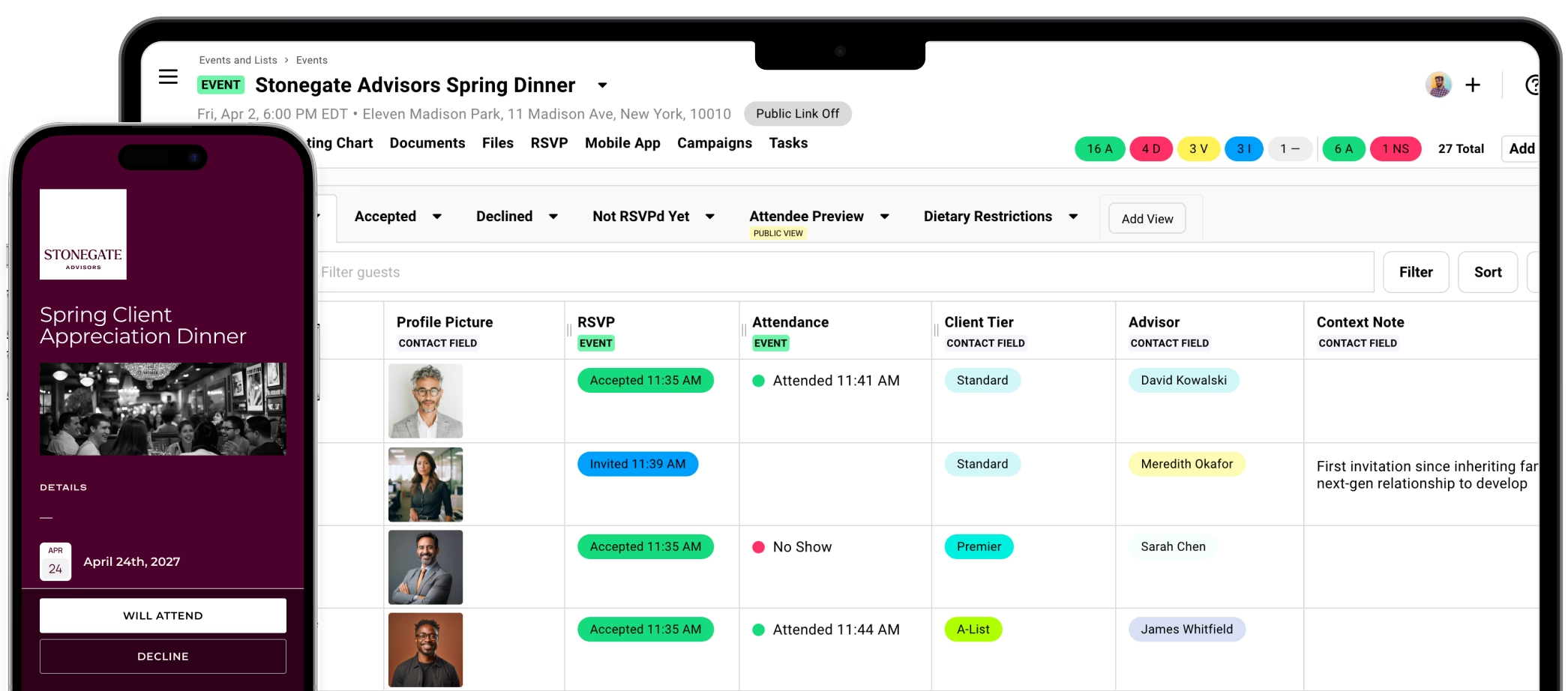
Check-in produces a timestamped attendance record. Compliance gets a standardized export — same format every time, regardless of which advisor ran the event.
Visible in real time
The firm admin sees what’s running across the practice without asking anyone. Not in a weekly email thread. In the dashboard, live.
The actual record
Not a list someone typed up the next morning. The record comes from actual check-ins — who walked in, when, verified by the system.
What Gatsby gives the firm
Section titled “What Gatsby gives the firm”One dashboard, every advisor
Every event, guest list, and attendance record in one place. No chasing post-event emails.
Firm-controlled templates
Design the template once. Every advisor uses it. Brand standards enforced by the system, not a style guide.
Role-based access
Advisors see their own events. The firm admin sees everything. Simple as that.
Verified attendance
iPad or phone check-in. Guests tap or scan. The record compliance gets is the one generated at the door.
Automatic CRM sync
Attendance writes back to Salesforce or other CRMs automatically.
SOC 2 Type II certified
Client PII handled with enterprise security controls. Not in spreadsheet attachments forwarded between personal accounts.
We’ll walk through admin structure, template setup, and CRM integration for your tech stack. Thirty minutes.
What advisors actually get
Section titled “What advisors actually get”The firm adopts Gatsby. Advisors use it. Here’s why that’s straightforward.
Invitations come from them
Clients see an email from their advisor’s own Gmail or Outlook. Connect the account once, use it for every event.
Guest context carries forward
The dietary restriction from March is already there in September. So is attendance history and plus-one preferences.
Less friction, more events
Lower planning overhead means advisors run more dinners. More dinners means more client touchpoints and more referrals.
Who already runs events this way
Section titled “Who already runs events this way”3M+
emails sent through the platform
6,500+
invite-only events hosted in the past year
SOC 2
Type II certified
Trusted by top teams






How does role-based access work for multi-advisor firms?
Admins see every event across the firm. Advisors see their own events and their own clients. An advisor planning a client dinner doesn’t see what other advisors are running, but the firm admin has full visibility across the practice.
What CRM integrations are available?
Gatsby integrates directly with Salesforce (native, bidirectional) and connects to Wealthbox, Redtail, and any other CRM through Zapier and webhooks. Event attendance, RSVPs, and follow-up flags sync automatically.
How does Gatsby handle compliance and data security?
Gatsby is SOC 2 Type II certified with regular security audits. Your client information stays yours. We support Google Workspace SSO, Okta, and enforced two-factor authentication.
Can we export event data for compliance reporting?
Yes. Every event produces a standardized export: attendance records, timestamps, guest details. Same format regardless of which advisor ran the event. Export anytime in CSV or Excel.
How long does firm-wide onboarding take?
Most firms are running events within two weeks. We handle template setup, CRM configuration, and advisor onboarding. The platform is straightforward enough that advisors pick it up after their first event.
See what a firm-wide rollout looks like
We’ll walk through admin structure, template setup, and CRM integration for your tech stack. Thirty minutes.