
You already host these events. You just host them somewhere else.
Section titled “You already host these events. You just host them somewhere else.”The partner dinner for twelve. The portfolio happy hour. The LP salon on a Tuesday. Nobody opens the full event builder for those, because building a landing page and configuring a campaign for a dinner feels like filing paperwork to buy coffee.
So those events go to a consumer invite tool. It takes four minutes, the page looks fine, and the job gets done.
Then someone asks who came to the March dinner
The answer is in a different tool, under someone else’s login, and it never made it onto the guest’s profile in Gatsby. Six months later you are inviting an LP to a summit with no record that they already sat next to your managing partner at dinner.
And the invitation came from an address your guest does not recognize
A generic sender, a page with someone else’s branding at the bottom, and an unsubscribe footer on a note that was supposed to read like a personal invitation from a partner.
Every event you run elsewhere is a hole in your guest history.
Section titled “Every event you run elsewhere is a hole in your guest history.”Gatsby exists because relationship data compounds. A dietary restriction captured in March is still there in September. Attendance history sits on the contact record, so the person planning the next event knows who has already been in the room.
Splitting your small events into a second tool breaks that in four specific ways.
Guest context stops carrying forward
Preferences and notes you collected for the dinner live outside the profile you use for everything else. Your team re-collects information they already had.
Your privacy posture changes per tool
Guest lists that are confidential in Gatsby end up in a system with different sharing defaults, different access levels, and a different security review.
Reporting only covers half your events
You can report on the annual meeting and the summit. The twenty dinners that did the actual relationship work are missing from the number you take to your partners.
Nobody owns the second tool
It gets paid for on a personal card, the account belongs to whoever set it up, and when they leave the firm the guest lists leave with them.
Four steps, and the only decisions left are the ones you actually want to make.
Section titled “Four steps, and the only decisions left are the ones you actually want to make.”Quick Events is a separate, deliberately narrow flow inside Gatsby. Details, Design, Guests, Invite. Required fields are the name, the date, the timezone, and the location. Everything else has a sensible default.
Layout, spacing, motion, and mobile behavior are handled. You pick a template, drop in your logo, and the typefaces on offer are the ones already tuned to that layout. Colors work the same way, with your own brand color available as a sixth option when a template’s palette isn’t yours.
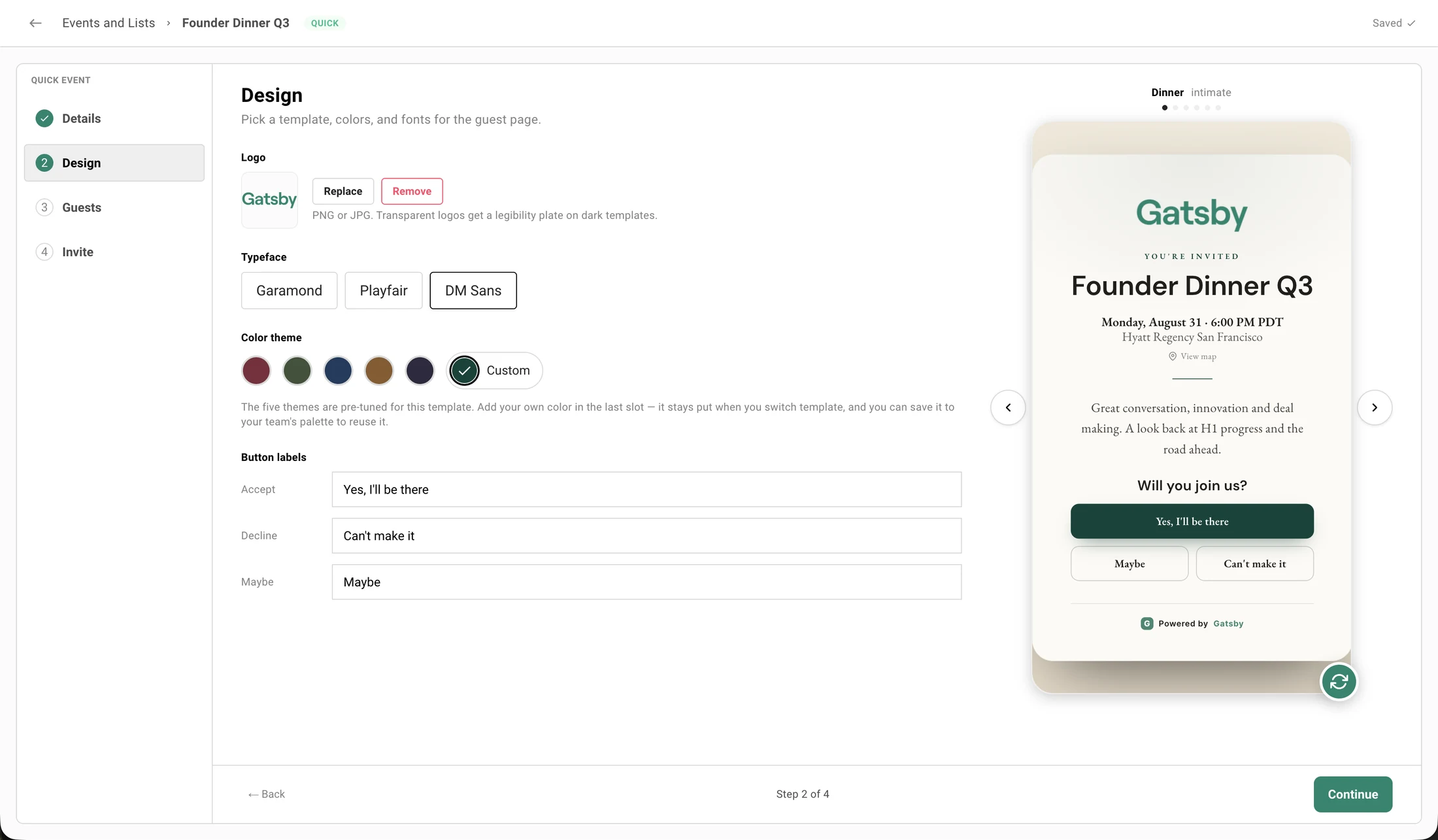
The guest page reads live event data. Change the name or the note and the invitation updates, with no publish step.
The invitation comes from your address
Send from a linked Google, Outlook, or SendGrid address, so the note arrives from the person whose relationship it is.
Every guest gets a private link
Personal RSVP links are unique to one person and not transferable. A public link exists if you want one, and it stays off until you turn it on.
Capacity, waitlist, and a deadline
Three toggles. Cap the room, divert the overflow to a waitlist, and close RSVPs on a date. Enforced on the server, not just in the browser.
You can see what failed to deliver
Delivered, opened, accepted, and failed. A bad mailbox is marked undeliverable so you fix the address instead of burning another send on it.
Follow up by answer, not by list
Write to the people who accepted, declined, said maybe, or never answered. Load a suggested note, edit it, send it as yourself or in the event’s branding.
Change the date without a fire drill
Move the venue or the time and Gatsby offers to tell the people already invited, with the old and new details side by side. Skipping the notice is a real option.
Thirty minutes. We will build one with you, using your branding.
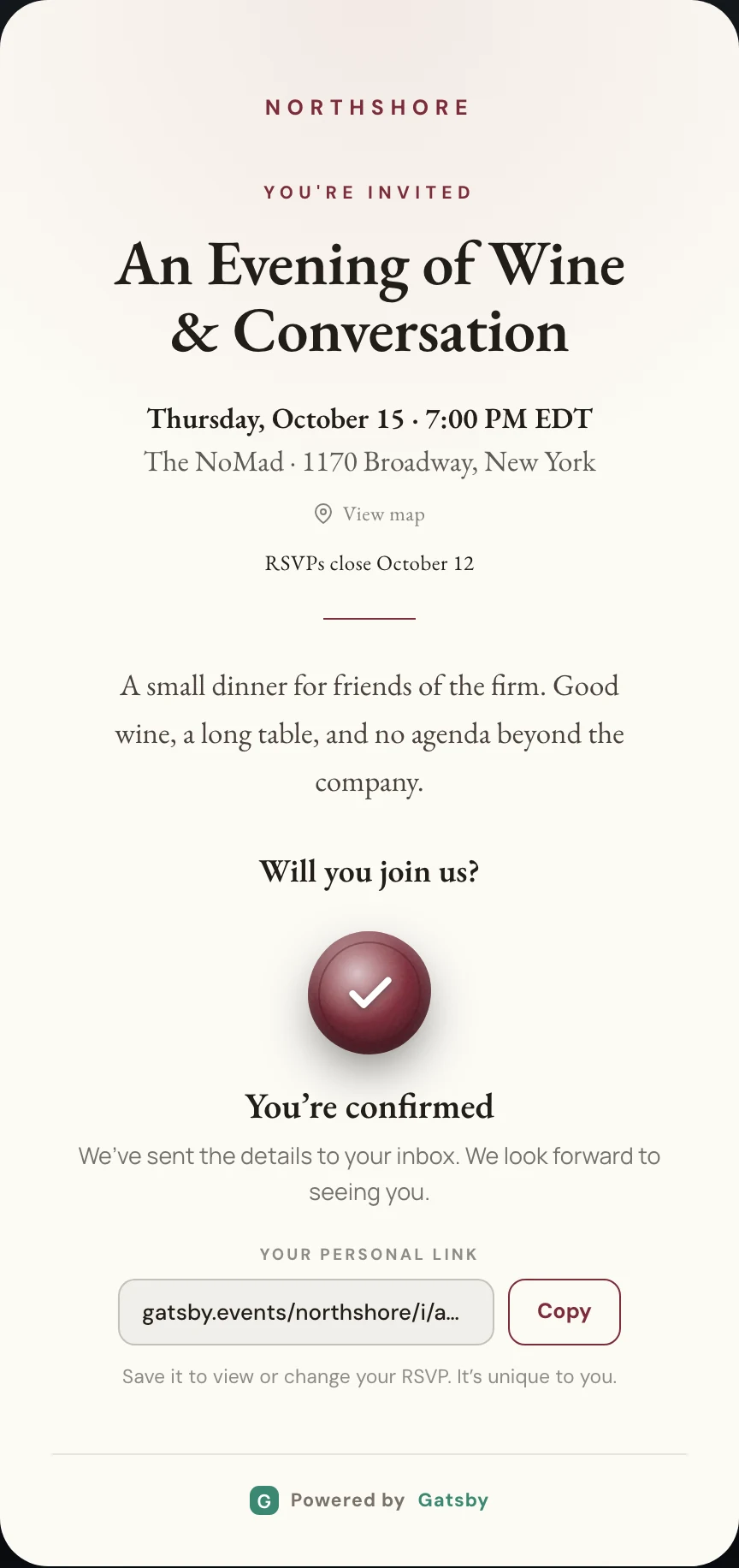
Your guest gets an invitation, not a ticket confirmation.
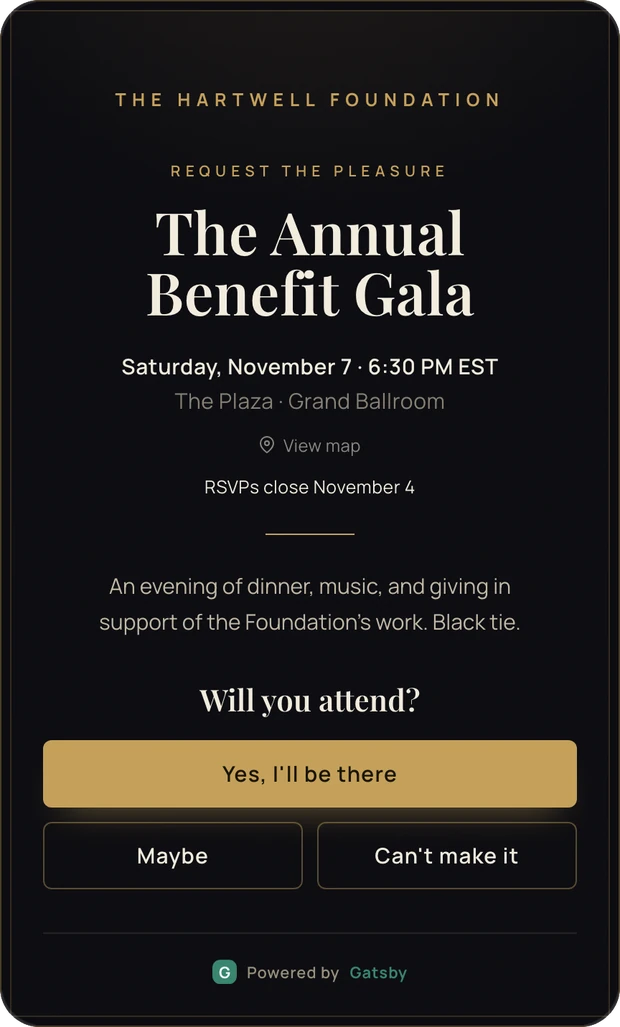
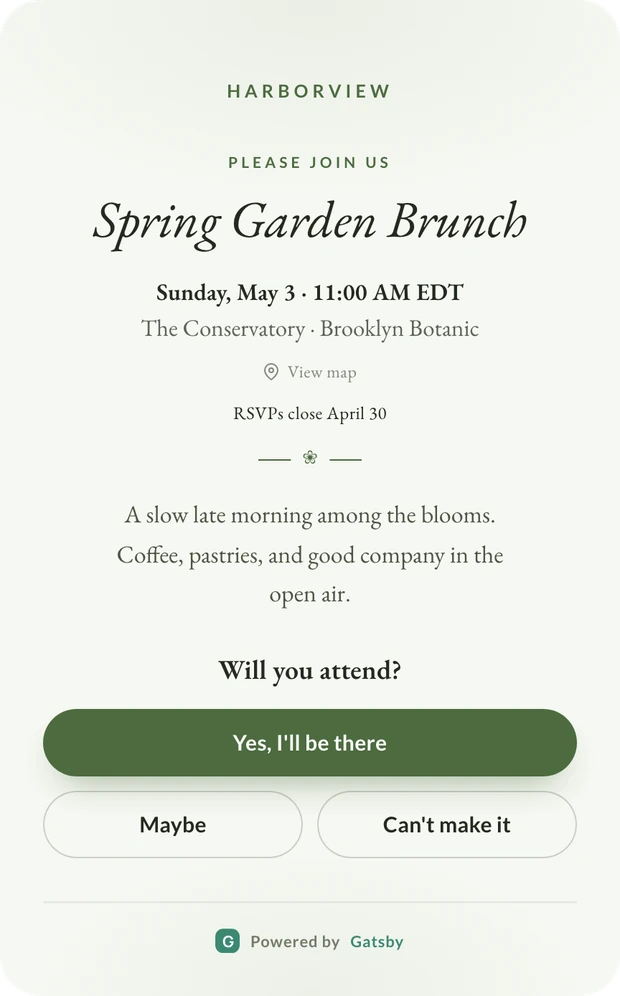
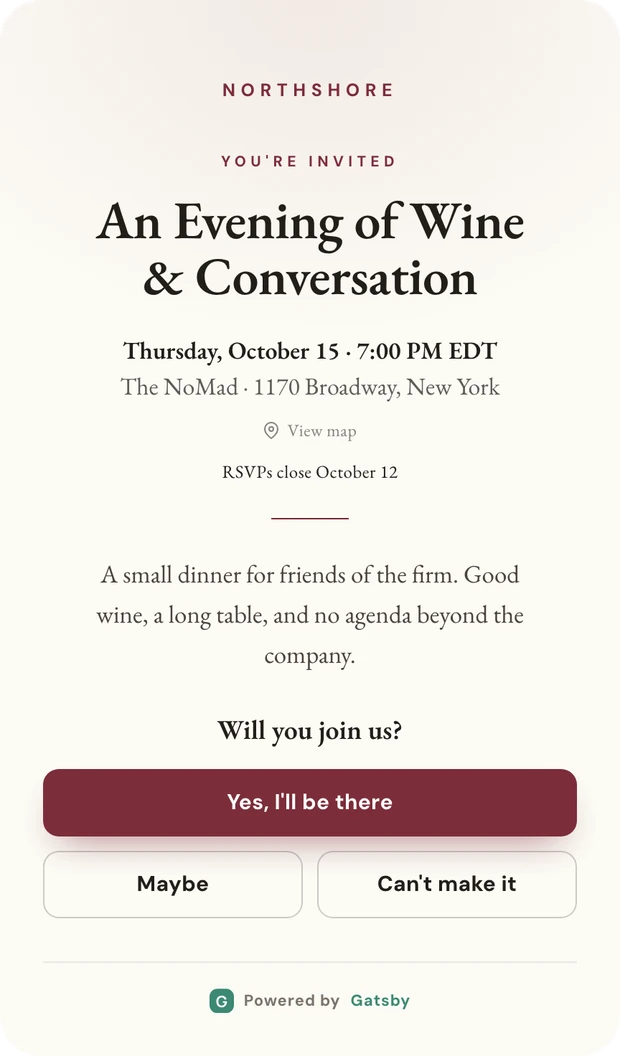
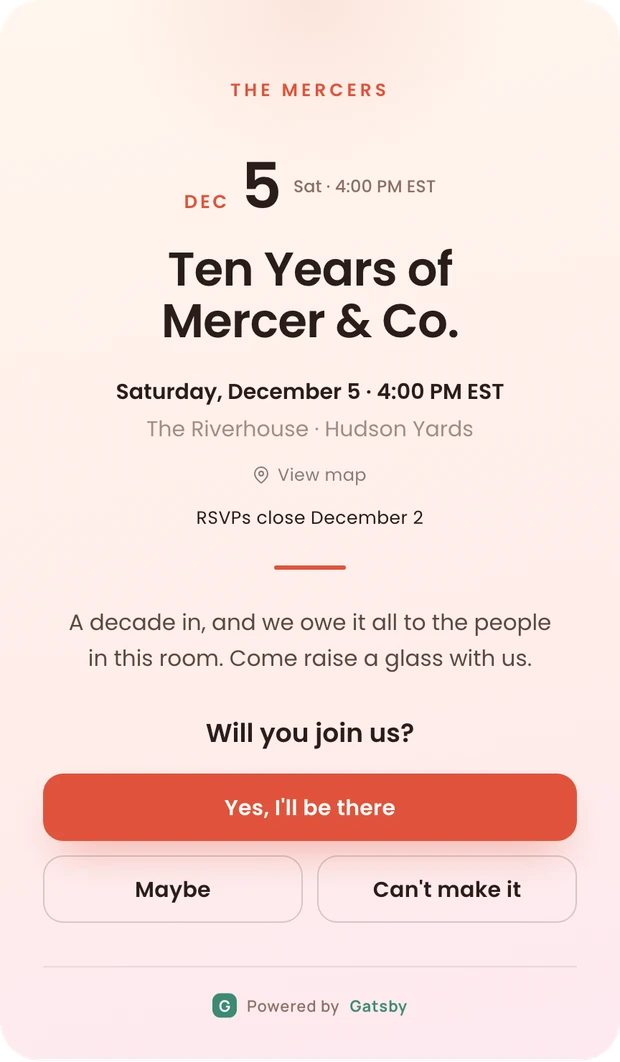
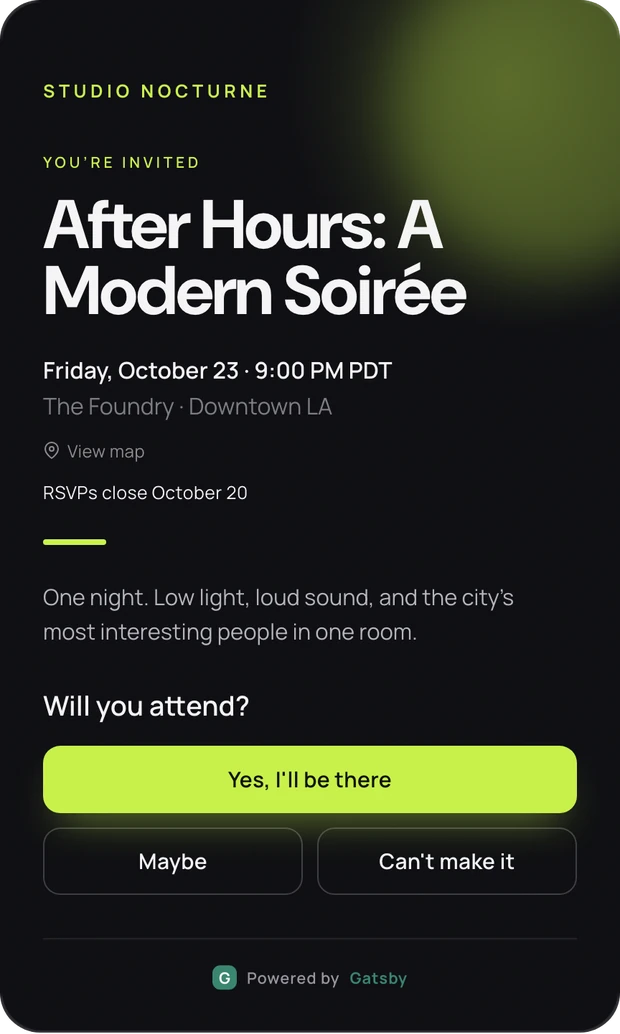
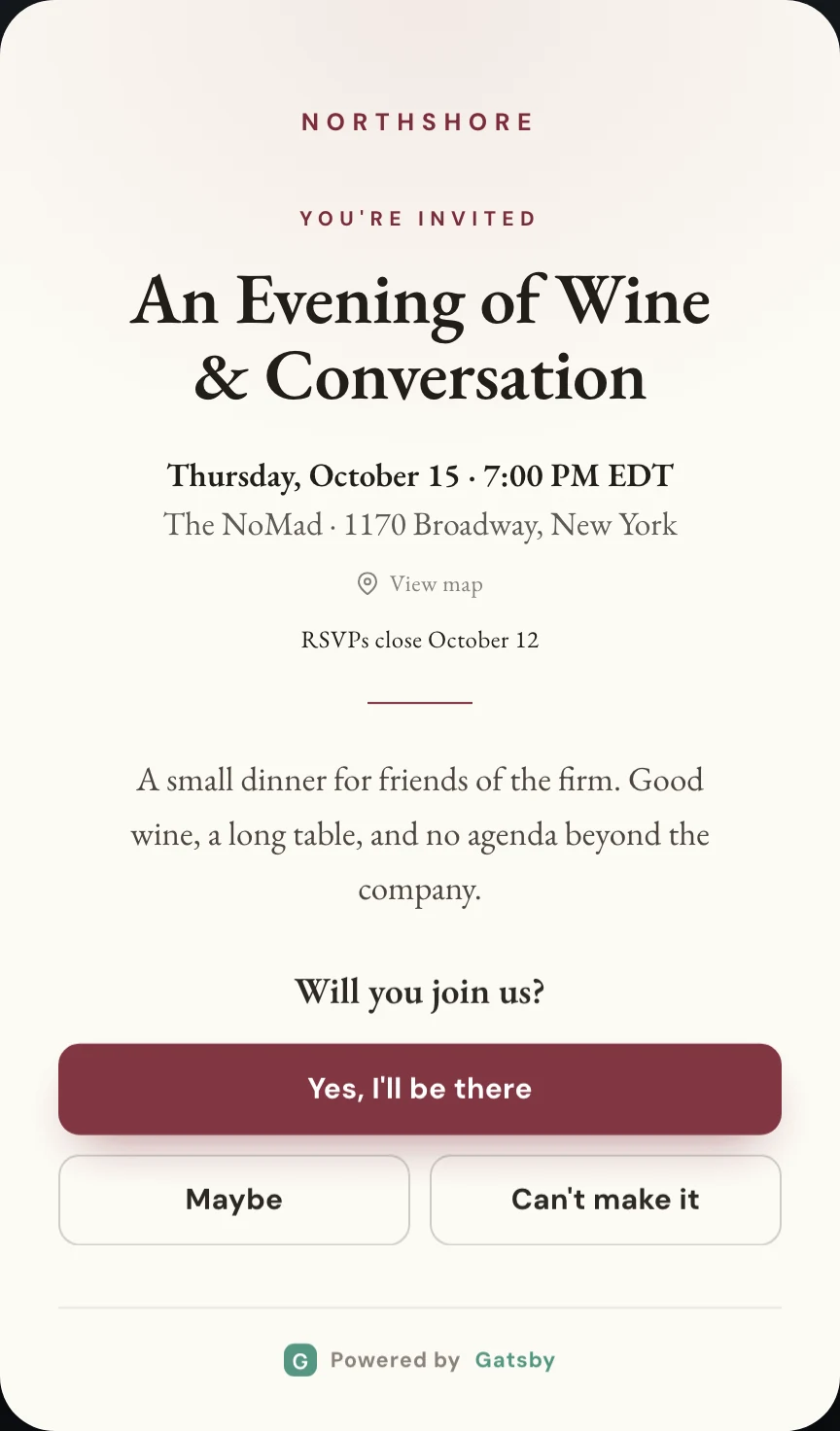
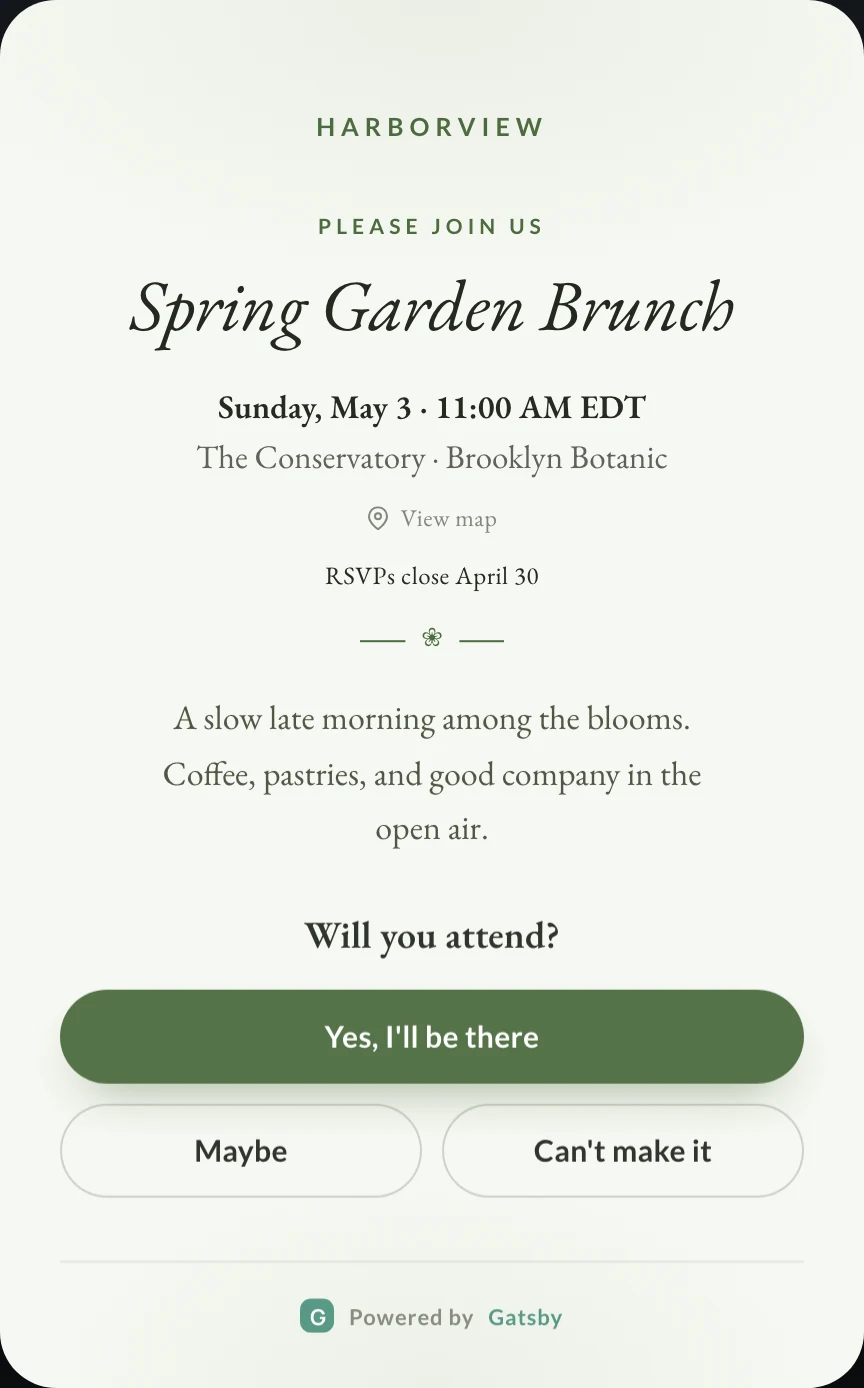
Six templates, each with its own typeface set, palette, and arrival animation. Your logo sits at the top, on a contrast plate if the template is dark, so it stays legible either way. It opens full width on a phone, because that is where it will be opened.
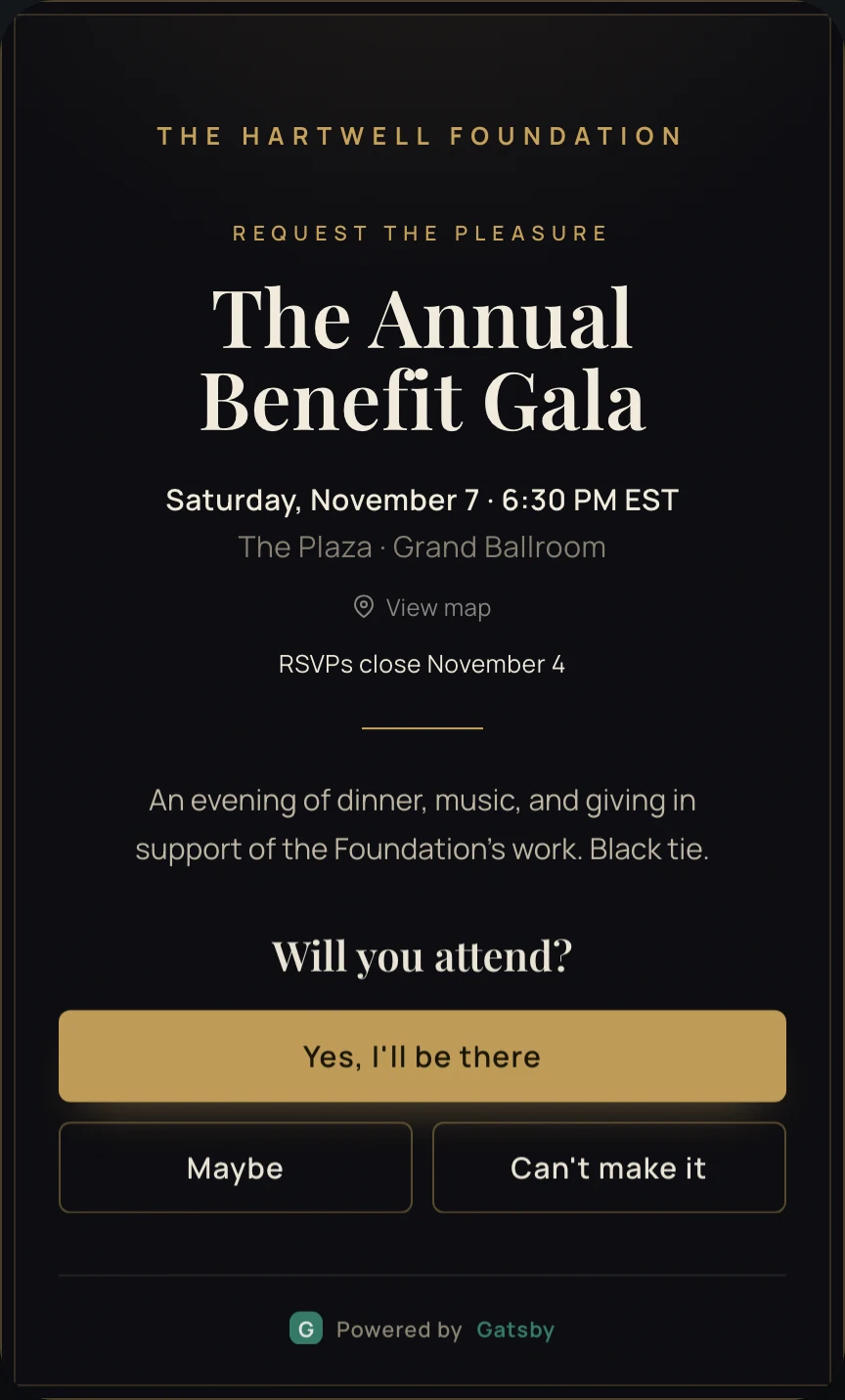
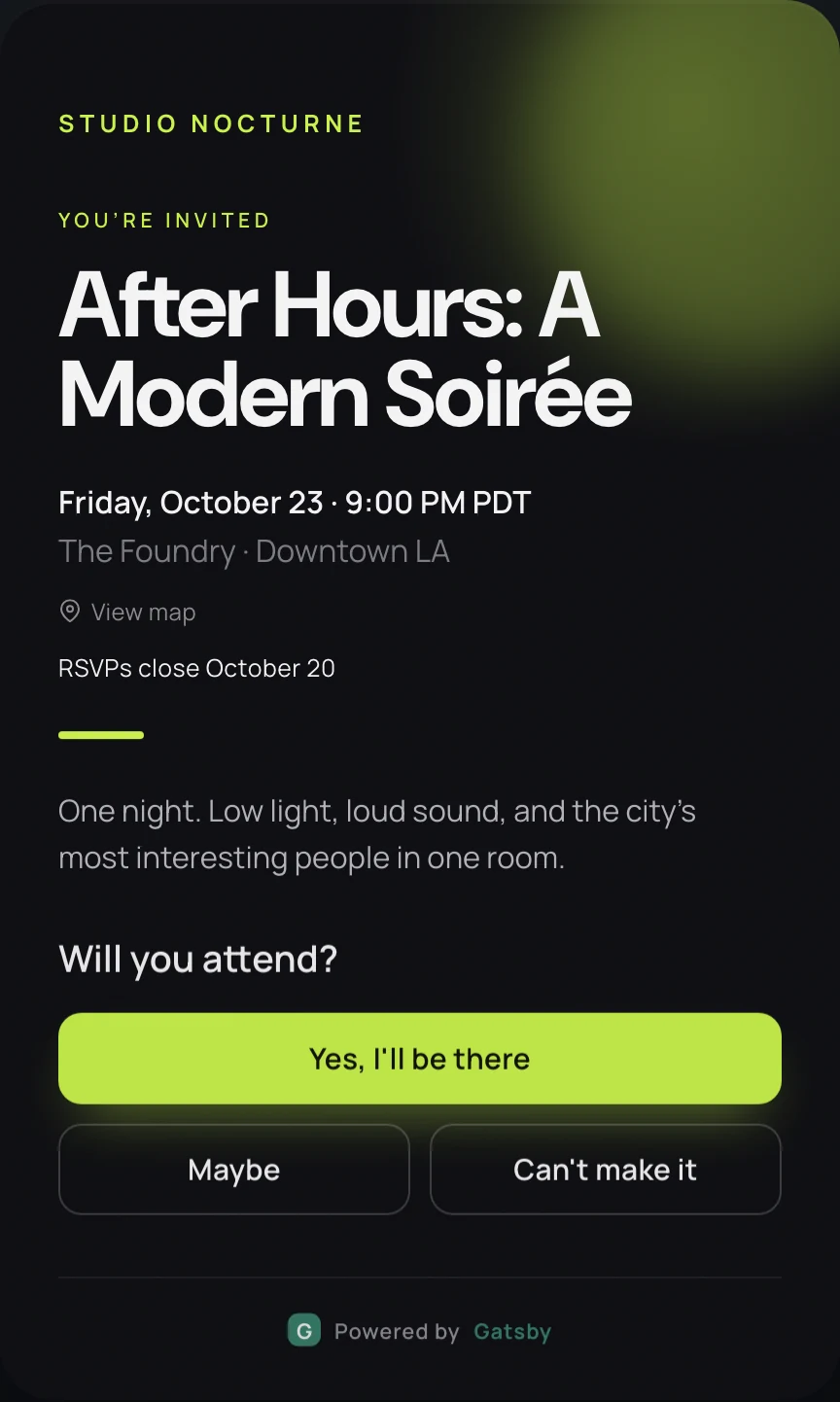
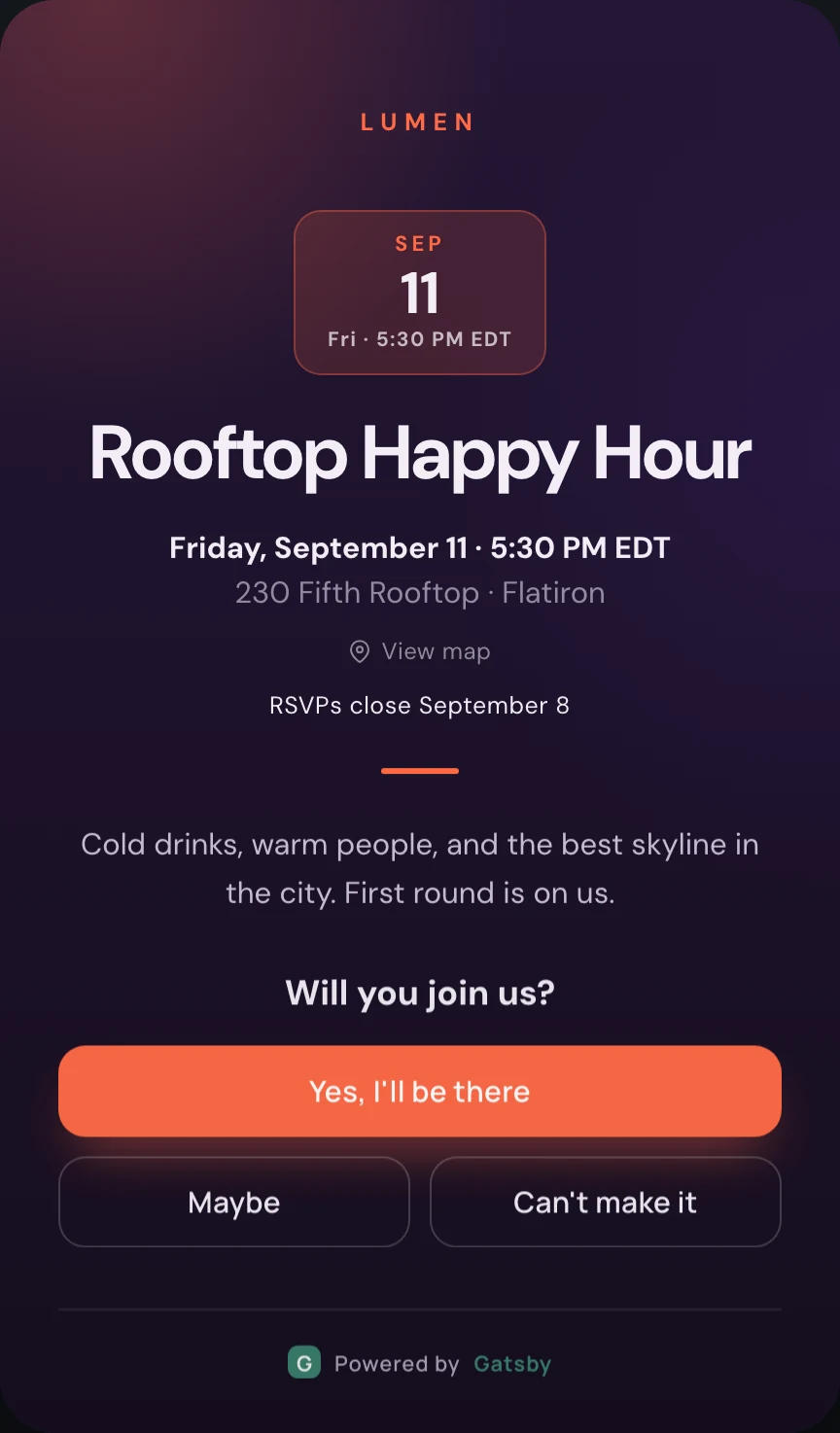
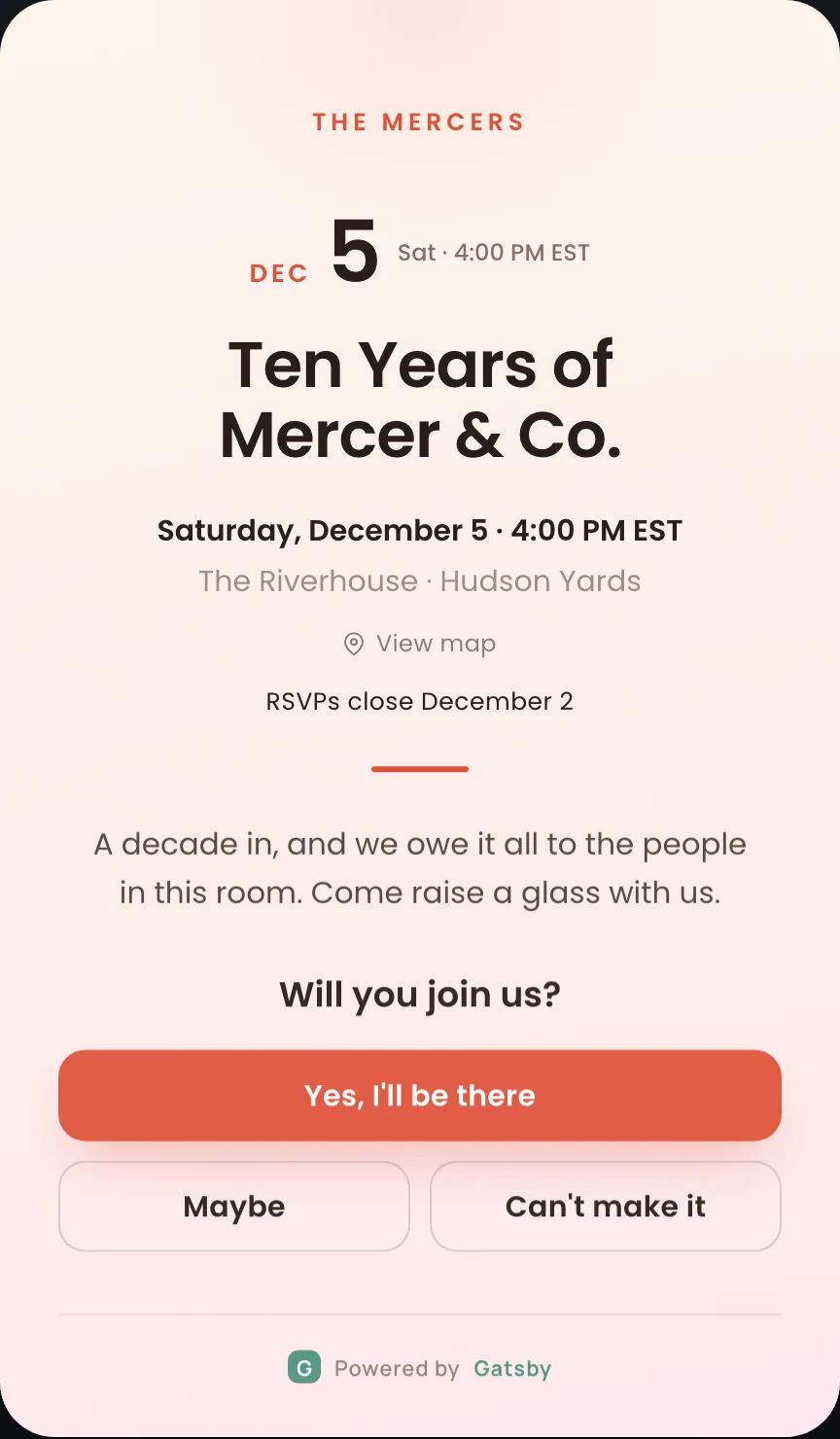
One tap to answer. Then a link that is theirs.
Accept, decline, or maybe, using whatever wording you chose. After they answer, the page hands them their own link so they can change their mind later without emailing your assistant.
When the room fills, the page says so with restraint. A quiet note that spots are limited, never a countdown clock or a live seat counter.
The same system at ten guests and at a thousand.
Section titled “The same system at ten guests and at a thousand.”A quick event is a real Gatsby event underneath. It sits in the same list, on the same guest profiles, under the same permissions. When one outgrows the quick flow, the platform it is already sitting on is the one that handles the rest.
10
A partner dinner
Quick event. Four minutes, one premium invitation, no landing page to build.
100
A portfolio happy hour
Still a quick event. Add a capacity cap, a waitlist, and an RSVP deadline as toggles.
500
An LP meeting
A full Gatsby event. Registration forms, seating charts, name badges, and check-in at the door.
1,000+
An annual summit
Multi-session agendas, ticketing, the guest app, and CRM sync on the way back out.
Across all four, it is one contact database. The founder who came to the June dinner and the LP who spoke at the summit are profiles in the same system, with attendance history, preferences, and your team’s notes attached to each.
Three honest options, and where each one runs out.
Section titled “Three honest options, and where each one runs out.”You are comparing us to something. Here is our read on the trade, including the cases where the other answer is the right one.
Lightweight invite tools
Where they work
Genuinely fast and often free. For a personal party, or a one-off where nobody needs the guest list afterwards, they are the right tool and we would not pretend otherwise.
Where they run out
No persistent guest profiles, so context never carries between events. Invitations come from the platform rather than your address, their branding sits on your page, and the guest list is not covered by your firm’s security review.
Enterprise event platforms
Where they work
Built for conferences and trade shows, and strong at them. Exhibitor management, session tracks, and badge scanning at scale are real strengths.
Where they run out
A dinner for twelve is not a small conference. The setup cost per event is high enough that your team quietly stops using it for the small ones, which is how the second tool appears in the first place.
Gatsby
Where we work
Invite-only events for relationship-driven teams, at any size, on one guest database. Quick Events covers the small end in minutes; the full platform handles seating, badges, check-in, and ticketing at the large end.
Where we run out
We are not the cheapest way to invite people to one party, and we are not built for open ticket sales to strangers. If your events are public and transactional, another tool fits better.
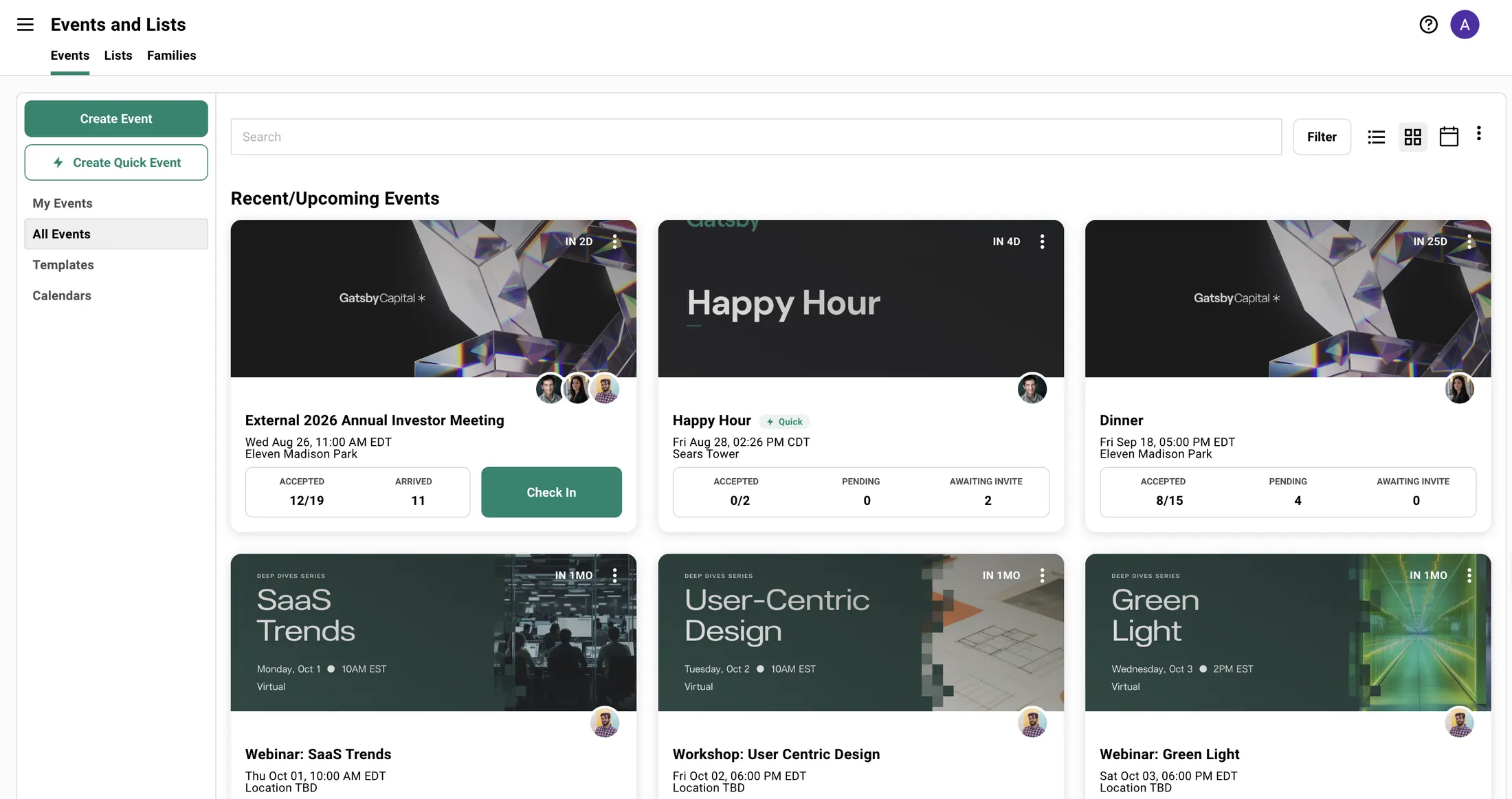
Quick events sit in the same list as everything else.
Section titled “Quick events sit in the same list as everything else.”They carry a Quick marker so you can tell them apart, and they use the same RSVP vocabulary, the same contact records, and the same team permissions as the rest of your events. Admins can set a house design once so every quick event your team creates starts on brand.
Firms who already run their events this way.
Section titled “Firms who already run their events this way.”General Catalyst, IVP, and Lightspeed run their events on Gatsby. Their guest lists are often twenty to fifty people, where being known by name is the baseline expectation rather than a nice touch.
6,500+
invite-only events hosted in the past year
3M+
invitations and follow-ups sent through the platform
SOC 2
Type II certified, with SSO and enforced two-factor
Trusted by top teams





Questions
Section titled “Questions” How long does it actually take to send one?
Four fields are required: the name, the start time, the timezone, and the location. Everything else has a default, including the design. Adding your guests is the part that takes the longest, and you can type them, pull them from your existing contacts, or paste a list.
Does the guest page look like us or like Gatsby?
Your logo, your accent color, and your choice of typeface. A small “Powered by Gatsby” mark appears at the bottom of quick-event pages and cannot be removed. If you need a page with no third-party mark at all, use a full Gatsby event with a custom landing page and your own domain.
Can a quick event do seating, check-in, or ticketing?
No. Quick Events covers invitations, RSVPs, capacity, waitlists, and follow-ups. Seating charts, name badges, door check-in, paid ticketing, and post-event surveys are full-event features. That is the deliberate trade for a flow with almost no decisions in it.
Do RSVPs from a quick event show up on the contact record?
Yes, and this is the point. A quick event is a real event on your real guest profiles. Attendance, RSVP status, and anything you noted carry forward the same way they do for your largest events, and flow out to your CRM through the same integrations.
Who can see the guest list?
The same people who can see it for any other event in your account. Admins have full access, Team Members see the events they are assigned to, and External Collaborators are limited to specific events. Personal RSVP links work for one named guest and are not transferable, and the public link stays off unless you switch it on.
When can we start using it?
Today. Quick Events is live on every Gatsby account at no extra cost, so there is nothing to request and nothing to wait for.
Stop running half your events somewhere else
Thirty minutes, no pressure. Bring your next dinner and we will build the invitation with you.
Running something larger first? See how the full platform works.